
LG OLED Buying Guide: Which 65-Inch Tier Should You Choose?
Last updated: September 2026
🕒 6 min read
Disclosure: This article does not contain affiliate or sponsored links. SignalVetted may still reference specific products or brands for informational purposes only.
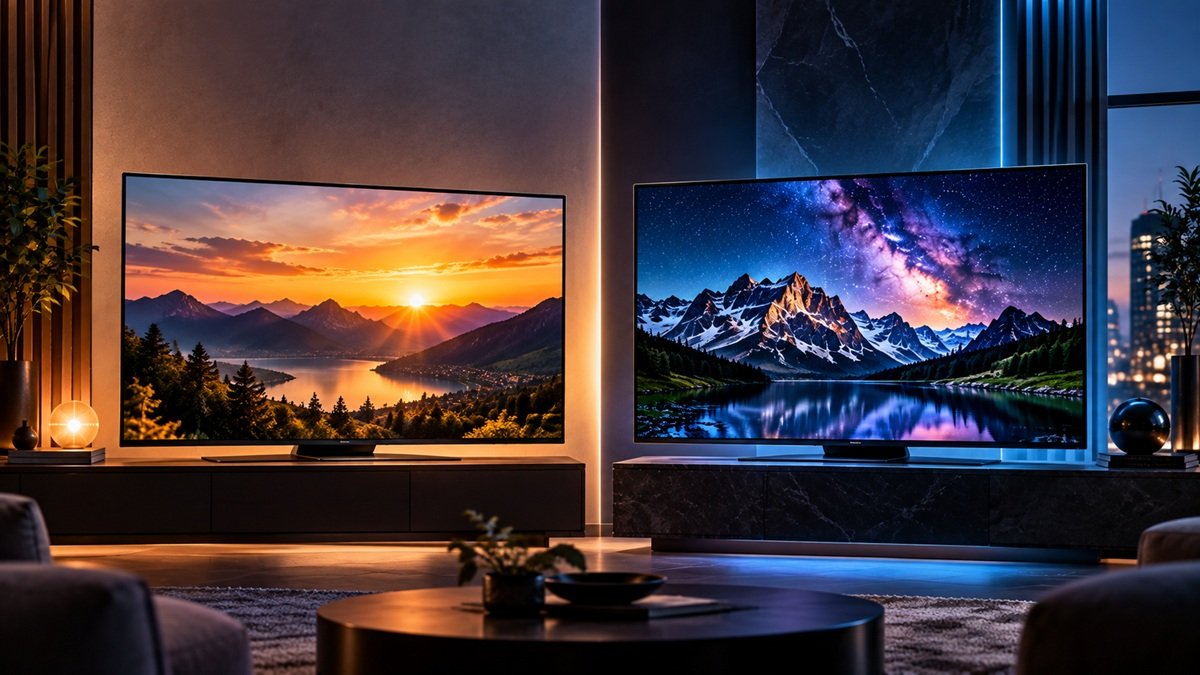
LG’s current 65-inch OLED lineup isn’t one television — it’s two meaningfully different tiers, and picking between them matters more than picking LG in the first place. This LG OLED buying guide walks through what actually separates the OLED65B6GUA, LG’s budget entry point, from the OLED65C6, its mid-flagship step-up, so the choice comes from what each tier does differently rather than a guess based on price alone.
Both models share the same core OLED foundation covered in our full OLED TV guide, but LG’s own internal tier structure deserves its own explanation, since what separates these two specific models isn’t always obvious from a spec sheet alone. Neither tier is a compromised way to get LG’s OLED picture quality — the real trade-offs sit in processing power and refresh-rate headroom, not in the underlying display itself.
Table of Contents
LG OLED Buying Guide: The Two 65-Inch Tiers, Explained
LG’s 65-inch OLED range currently comes down to two tiers rather than a long list of similar-sounding model numbers. The OLED65B6GUA sits at the budget end — LG’s entry point into OLED at this screen size. The OLED65C6 sits one step up, in what this guide treats as LG’s mid-flagship tier for 65-inch OLED. Both use LG’s WOLED panel technology, the self-emissive foundation that gives OLED its defining picture-quality traits — true black levels, wide viewing angles, and fast pixel response — regardless of which of the two tiers you land on. LG also sells a Signature-branded G6 above both, which this guide doesn’t cover; our LG B6 vs G6 OLED comparison looks at how it differs from the B6.
The distinction that actually matters isn’t panel technology, since both tiers share that foundation. It’s what LG built on top of it: a different processor generation, a different refresh-rate ceiling, and one upscaling feature that only shows up on the higher tier. Knowing which of those three differences you’d actually use in practice is the fastest way to choose between the two without reading two full separate reviews first.
How LG’s Tier Structure Works
Same Panel Foundation, Different Processing
Both the OLED65B6GUA and the OLED65C6 are self-emissive OLED displays — each pixel producing its own light rather than relying on a backlight, the same underlying mechanism covered in more general terms elsewhere on this site. That shared foundation is also roughly where LG’s fundamentals line up against other OLED manufacturers this site currently covers, Samsung’s own OLED lineup included: at the level of basic emissive-pixel behavior, the major OLED brands are working from the same physics, not a proprietary LG-only advantage.
Weighing a specific LG tier against a specific Samsung tier is a narrower, more detailed question than this guide is set up to answer — no direct brand-vs-brand verdict is made here, only the shared starting point both brands build from. That narrower question has its own page: our LG OLED vs Samsung OLED comparison covers RTINGS’ head-to-head of the LG C6 and the Samsung S90H.
Where This LG OLED Buying Guide’s Two Tiers Diverge
Above that shared panel foundation, the two tiers separate in three specific ways. The OLED65B6GUA runs LG’s Alpha 8 processor, paired with 4K support up to a 120Hz refresh ceiling — per LG’s own product documentation, a capable setup for general viewing, streaming, and most console gaming. The OLED65C6 moves up to the newer Alpha 11 Gen3 processor, raises the refresh ceiling to 165Hz, and adds AI Super Upscaling, a feature LG’s own listing doesn’t include on the entry tier at all. Both tiers support Dolby Vision, so that specific format isn’t part of what separates them — it’s easy to assume a feature gap there that doesn’t actually exist.
For most viewers, the clearest single difference to notice day to day is picture clarity on anything that isn’t already native 4K — that’s where the OLED65C6’s extra processing shows up most, more than in raw motion smoothness during typical console or casual gaming.
Which LG OLED Tier Fits Your Situation
Which tier actually fits depends less on budget alone than on how you’d use the extra capability the OLED65C6 offers. If your gaming setup — PC in particular — can sustain frame rates past 120, the OLED65C6’s 165Hz ceiling is a real, usable upgrade rather than a spec-sheet number you’d never touch. If a meaningful share of what you watch isn’t native 4K to begin with — older shows, standard cable, some lower-bitrate streaming — AI Super Upscaling on the C6 does visible work the B6GUA’s standard processing doesn’t attempt.
And if you’re upgrading from an older or non-OLED set specifically, and you’re weighing whether the step up to LG OLED is worth it at all before even choosing a tier, our investigation into whether upgrading to LG OLED for 2026 is worth it tackles that broader question directly.
Outside those two specific cases — high-frame-rate PC gaming and a lower-resolution content library — the OLED65B6GUA already covers what most 65-inch OLED shoppers need. Console gaming, movies, and general streaming all sit comfortably within its 120Hz ceiling and Alpha 8 processing, and the money saved over the OLED65C6 buys the same core OLED picture quality, not a lesser version of it.
Common Misconceptions About LG’s OLED Tiers
One assumption worth correcting directly: paying less for the OLED65B6GUA doesn’t mean settling for a weaker OLED panel. The price and spec gap between LG’s two 65-inch tiers comes entirely from processor generation, refresh-rate ceiling, and the presence of AI Super Upscaling — not from a cheaper or lesser display technology underneath. Both tiers use LG’s WOLED panel family, and the budget tier’s black levels, contrast, and viewing angles come from the same core mechanism as the mid-flagship model’s.
A second, related misconception: assuming the higher refresh-rate ceiling matters for everyone. Unless your gaming hardware can actually sustain frame rates above 120, the OLED65C6’s 165Hz ceiling isn’t doing anything a 120Hz display wouldn’t already handle — it’s a specific-use-case upgrade, not a universal one.
A third: assuming AI Super Upscaling only matters for very old, low-resolution sources like DVDs. In practice it does its most visible work across a much wider middle ground — cable broadcasts, older streaming libraries, and any source that sits meaningfully below native 4K — not only the most extreme low-resolution cases.
Want the exact numbers side by side?
For a full head-to-head on processor, refresh rate, and upscaling, see our LG OLED65B6GUA vs OLED65C6 comparison.
Frequently Asked Questions
What does this LG OLED buying guide recommend for most buyers?
For most 65-inch shoppers, the OLED65B6GUA covers general viewing, streaming, and console gaming well within its 120Hz ceiling. The OLED65C6 is worth the extra cost specifically for PC gamers who can sustain over 120 frames per second, or anyone whose regular viewing leans on lower-resolution or older content that benefits from AI Super Upscaling.
Do the OLED65B6GUA and OLED65C6 use the same display panel?
Both use LG’s WOLED panel family — the B6GUA a standard implementation, the C6 the newer WOLED evo variant. The core picture-quality traits both tiers share come from that shared foundation; the differences between them come from the processor, refresh-rate ceiling, and upscaling feature set built on top of it.
Is LG’s OLED technology different from Samsung’s?
Not at the fundamental level — LG and Samsung’s OLED sets are both self-emissive displays, built on the same basic physics. Beyond that shared starting point, this guide isn’t the place for a specific LG-vs-Samsung tier comparison — that’s a narrower question this site hasn’t independently verified yet, and it stays open rather than answered here.

Nridi
Editor, SignalVetted
This article does not report independent product testing.
✅ Based on manufacturer specification data.