
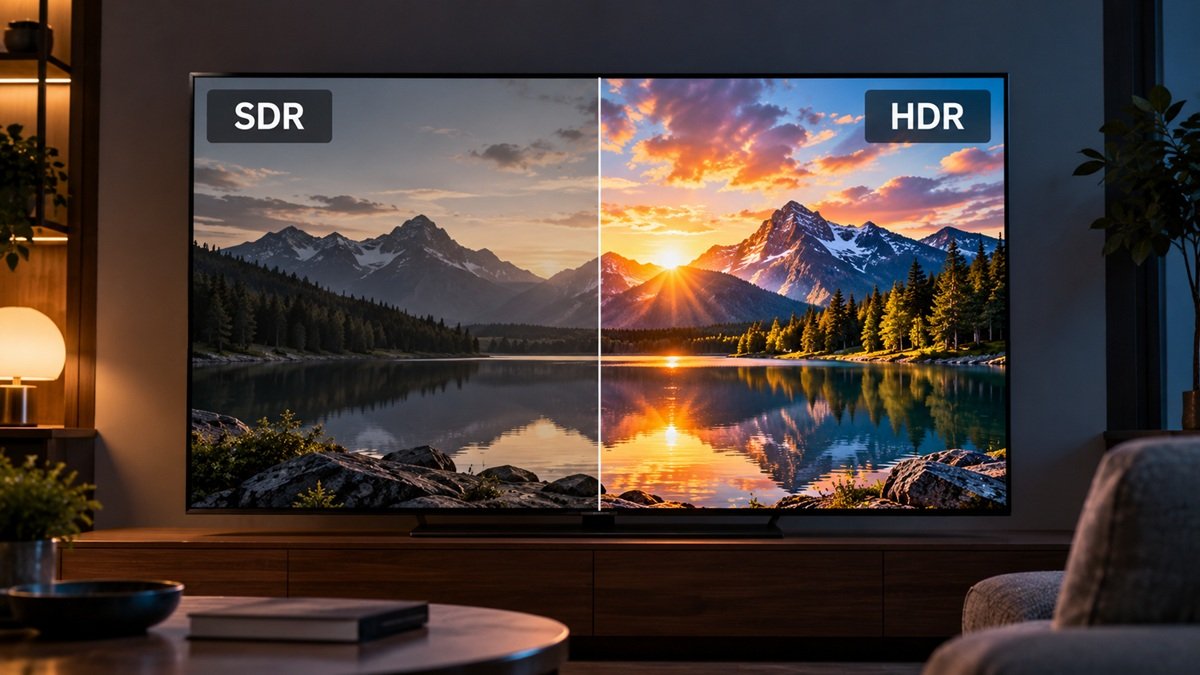
What Is HDR on a TV? What RTINGS Says Sets It Apart From SDR
Last updated: October 2026
🕒 5 min read
Disclosure: This article does not contain affiliate or sponsored links. SignalVetted may still reference specific products or brands for informational purposes only.
Your TV’s box, menu or remote says “HDR,” and it’s easy to nod along without knowing what changes on screen. So what is HDR on a TV? According to RTINGS, it’s a way for creators to master video so a TV can show a wider range of light and color than SDR, or Standard Dynamic Range.
Below is what RTINGS says about how HDR differs from SDR, from metadata and brightness to color and gradients. The source is RTINGS’ HDR vs. SDR guide, which shows “Updated May 13, 2026”.
Table of Contents
What Is HDR on a TV? A Plain Definition
HDR stands for High Dynamic Range, and SDR stands for Standard Dynamic Range, according to RTINGS’ HDR vs. SDR guide. RTINGS describes dynamic range as the variation of light within an image. A TV with a high dynamic range can show a wider range of light and colors than an SDR display, which RTINGS says gives deeper blacks, brighter whites and more life-like colors.
This page, Updated May 13, 2026, says nearly every TV on the market in 2026 supports HDR.
How HDR Sends Light Differently
RTINGS says HDR changes how luminance is sent to the screen. It’s separated from color and encoded in absolute terms. If a scene is supposed to be 100 nits, the exact luminance is recorded as 100 nits. In SDR, RTINGS says, luminance is relative and is sent as part of the color information.
For the people who make video, RTINGS calls HDR a powerful tool. It lists a wider range of colors, higher peak brightness and greater dynamic range, which make it easier to deliver their vision to viewers at home. RTINGS adds that HDR also uses metadata to give the creator more control over how the TV displays an image.
What HDR Metadata Does
RTINGS describes metadata as a set of instructions embedded in the content sent to the TV. It tells the TV which color space to use and how bright the image should be. The page says the metadata is created when the content is mastered, so it works as a guide to how the creator intended the content to look.
Why Tone Mapping Exists
This page, Updated May 13, 2026, says no TV on the market can display the entire range of colors and luminance that HDR allows. SDR targets one specific standard, RTINGS says, while HDR has multiple standards with different color spaces available to creators.
This page, Updated May 13, 2026, goes on to say that’s why metadata is so important. It tells the TV how the video was created, so the TV can adapt the incoming signal to the color space and luminance it’s capable of. RTINGS names this process tone mapping.
Static vs Dynamic Metadata
RTINGS says HDR signals use either static or dynamic metadata. Dynamic metadata changes scene by scene, while static metadata stays the same for the whole movie or show. With dynamic metadata, the page says, a darker scene can have its range of brightness reduced to allow more fine detail, and a brighter scene can be pushed brighter so highlights stand out. With static metadata the brightness range stays the same throughout, so some scenes can be over-brightened or not dark enough.
According to RTINGS, Dolby Vision and HDR10+ use dynamic metadata, while HDR10 is a static format that forms the basis of HDR signals. The page notes that despite the similar names, HDR10 and HDR10+ are different formats. Some TVs support both dynamic formats, it adds, while others support one but not the other.
Brightness in SDR and HDR
In its brightness section, RTINGS says the biggest difference between HDR and SDR is the way they process an image. In SDR, the page says, the viewer controls how bright the screen gets by adjusting the backlight setting. That raises the brightness of everything at once, so dark scenes get brighter along with bright ones.
RTINGS adds that most SDR content is mastered at around 100 nits, and unless you’re in a dark room, you’re probably not keeping the backlight at that level. By RTINGS’ account, what you watch then looks brighter than the creator intended. It says many TVs have light sensors that try to adjust automatically, but they’re not perfect.
In HDR, RTINGS says, brightness is dictated by the content itself. You keep some control, and certain picture modes and settings let you fine-tune the range of brightness. The page’s upside is that dark scenes stay dark and bright scenes stay bright, as the creator intended, without readjusting for different content. The downside it gives: in a very bright room, HDR content may look too dark. RTINGS says newer TVs use light sensors to try to adjust the brightness to the viewing environment.
Color: BT.709, DCI-P3 and BT.2020
RTINGS says a TV’s color gamut defines the range of colors it can display. SDR content is almost always mastered in the BT.709 color space. Two color spaces are common for HDR content: DCI-P3 is the most widely used but the narrower of the two, and BT.2020 is much wider but less common.
This page, Updated May 13, 2026, says very little content takes full advantage of BT.2020, and no TV on the market in 2026 can display its full range of colors. It also calls DCI-P3 a far more realistic goal and says the vast majority of HDR content is mastered in that space. RTINGS adds that good coverage of the DCI-P3 color space is essential for a good HDR experience.
Gradients, Bit Depth and Banding
RTINGS describes gradient handling as how well a TV displays colors at different shades, which matters in scenes with a sky or sunset. RTINGS says good handling lets the sky transition smoothly between colors, while poor handling shows banding that can be distracting. We also have a separate article on HDR banding on an LG OLED.
The page links this to bit depth. This page, Updated May 13, 2026, says HDR requires 10-bit color depth, while SDR uses 8-bit. Most modern TVs can display a 10-bit signal, RTINGS says, but not all do it well. This page, Updated May 13, 2026, also notes that a TV accepting a 10-bit signal doesn’t always have a 10-bit panel: the vast majority use 8-bit panels with dithering, which RTINGS says doesn’t affect overall picture quality much. The same page adds that most modern TVs have good enough gradient handling, though on a few the banding is obvious.
What RTINGS Says HDR Needs to Look Good
RTINGS concludes that HDR can improve overall picture quality through brighter highlights and a wider range of colors than SDR. It lists peak brightness, color gamut and color bit depth as all important to an excellent HDR experience.
The page also cautions that a TV supporting the metadata doesn’t mean HDR content looks good. RTINGS says you need a bright TV with good contrast and a wide color gamut to get good HDR picture quality. If you want to know what contrast means on a TV, we cover it separately.
Frequently Asked Questions
What is HDR on a TV?
According to RTINGS, HDR (High Dynamic Range) lets a TV show a wider range of light and color than SDR, with deeper blacks, brighter whites and more life-like colors. RTINGS says metadata sits at the core of most HDR content and tells the TV how it was mastered.
Does every TV support HDR?
This page, Updated May 13, 2026, says nearly every TV on the market in 2026 supports HDR. RTINGS also says that supporting the metadata doesn’t mean HDR content looks good on that TV.
Is HDR10 the same as HDR10+?
No, according to RTINGS. Despite the similar names they are different formats: HDR10 is a static format, while HDR10+ uses dynamic metadata. Some TVs support both HDR10+ and Dolby Vision, and others support only one.

Nridi
Editor, SignalVetted
This article does not report independent product testing.
✅ Based on RTINGS’ HDR vs. SDR guide (page shows “Updated May 13, 2026”).