
What Is VRR on a TV, and Why Does It Matter?
Last updated: September 2026
🕒 5 min read
Disclosure: This article does not contain affiliate or sponsored links. SignalVetted may still reference specific products or brands for informational purposes only.
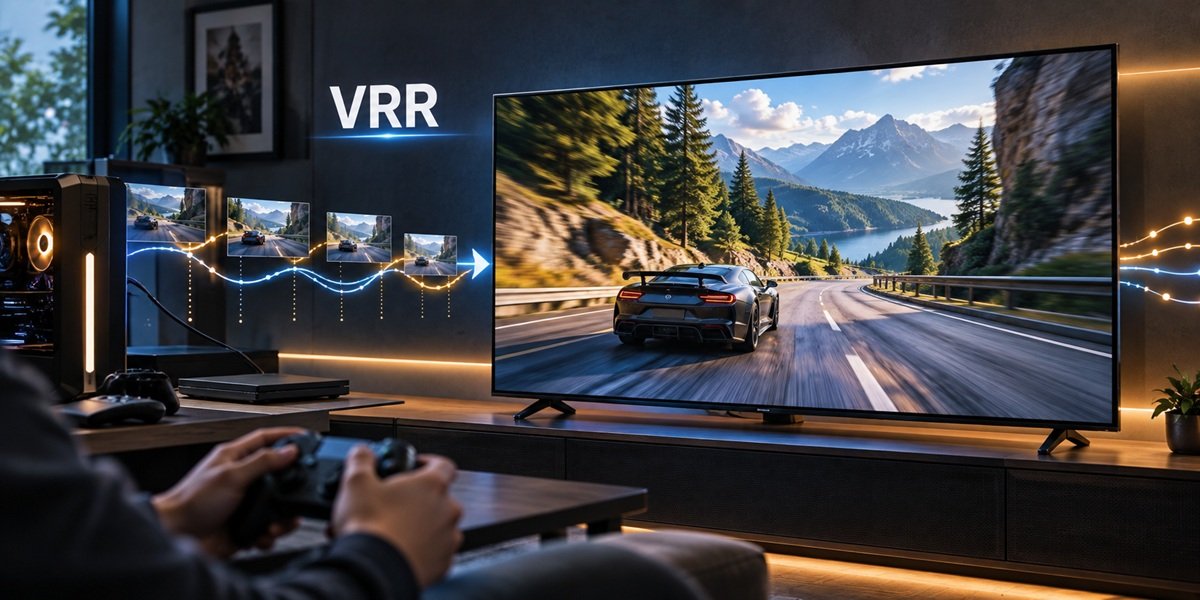
A horizontal tear across the screen when you swing the camera in a game, or a brief hitch when the action gets busy: those are the problems VRR was built for. So what is VRR on a TV? It stands for variable refresh rate, a feature that lets the TV wait for each new frame from your console or PC instead of refreshing on a fixed beat. Below we explain how that works, when it matters, and what VRR support looked like on two 2026 TVs that RTINGS tested.
Table of Contents
What Is VRR on a TV, in Plain Terms?
Normally a TV redraws its picture at a steady rate, whether or not the game has a new frame ready. According to HDMI.org’s explanation of variable refresh rate, VRR lets a gaming source such as a console or computer deliver frames as fast as it can, which is often slower than the TV’s normal fixed refresh rate, with each new frame sent once it’s ready.
That matters because a game doesn’t produce frames at a perfectly even speed. How long each frame takes depends on how complex the scene is, how powerful the graphics hardware is, and the resolution and frame rate the game is aiming for.
The Problem VRR Solves: Frames That Arrive Late
What happens without it
When a frame isn’t finished in time for the display’s next scheduled refresh, the source has two bad options, per HDMI.org: show the previous frame again, or send a frame that’s only partly drawn. HDMI.org says this fallback causes judder (uneven, stuttering motion) and tearing, without tying each symptom to one option.
What VRR changes
With VRR, the display waits until the next frame is ready and then shows it. HDMI.org says this reduces or removes lag, judder and frame tearing, giving smoother gameplay. Those are the standards body’s own descriptions of what the feature is designed to do, not independent test results.
When VRR Matters
Games and other gaming sources
HDMI.org frames VRR around gaming sources: consoles and computers whose frame output rises and falls with the action. If you play on a console or a gaming PC and your TV supports VRR, this is the feature HDMI.org says reduces or eliminates lag, judder and frame tearing.
Where other articles take over
VRR sits on top of a TV’s refresh rate, but it isn’t the same thing. What refresh rate actually does, from 60Hz versus 120Hz to motion blur, is a separate topic we cover on its own page.
Likewise, the wider question of using a TV as a computer monitor, from input lag to text clarity, gets its own treatment rather than a paragraph here.
If you’re choosing a TV specifically for gaming, our guide to the best OLED TVs for gaming covers picks across VRR support, console compatibility and input lag.
What VRR Support Looks Like on Two RTINGS-Tested 2026 TVs
A spec sheet saying “VRR” can hide a lot of detail. The two examples below show what RTINGS actually reported for two specific models. They describe those TVs only, not every TV from either brand. Both happen to be OLEDs, and our full OLED TV guide covers that category more broadly.
LG C6 OLED 2026
In the RTINGS review of the LG C6, the TV supports FreeSync and HDMI Forum VRR and is certified as G-SYNC compatible. RTINGS found it nearly tear-free, working across the TV’s whole refresh-rate range, and it supports low framerate compensation (LFC).
With a PS5, RTINGS lists HDMI Forum VRR as supported. With an Xbox Series X|S it lists HDMI Forum VRR and FreeSync Premium Pro. For everything else about this model, see our LG OLED65C6 review.
Samsung S90H OLED
The RTINGS review of the Samsung S90H lists FreeSync, HDMI Forum VRR and G-SYNC support, a nearly tear-free result from any VRR-enabled source, operation across the full refresh-rate range, and LFC support.
For consoles, RTINGS lists the same VRR support as on the C6: HDMI Forum VRR with a PS5, and HDMI Forum VRR and FreeSync Premium Pro with an Xbox Series X|S. Our Samsung 65S90H review covers the rest of this TV.
What LFC adds
Low framerate compensation handles the moments when a game’s frame rate drops very low. On both of these TVs, RTINGS describes it as keeping games nearly tear-free even then. We’re describing LFC as RTINGS reported it for these two models; the exact lower limit of each TV’s VRR range sits in RTINGS’ members-only data, so we don’t quote it.
What to Check for VRR on a TV Spec Sheet
- HDMI Forum VRR: listed for both consoles on the two TVs above.
- FreeSync: listed on both TVs; RTINGS also lists FreeSync Premium Pro with the Xbox Series X|S on both.
- G-SYNC compatibility: the LG C6 carries G-SYNC Compatible certification, and RTINGS lists G-SYNC support on the S90H.
- LFC: worth confirming if your games often dip to low frame rates.
On these two TVs, RTINGS lists HDMI Forum VRR for both consoles, so that is the line to look for with a PS5; for an Xbox, RTINGS also lists FreeSync Premium Pro. The other formats appear as separate items, so check each one against the device you plan to connect.
VRR Assumptions Worth Checking
“Every new TV has VRR.” We can only speak to the models RTINGS tested and reported on here, so check the specific model you’re considering rather than assuming the feature is standard.
“VRR is the same as a high refresh rate.” They’re separate: refresh rate is how often the screen redraws, while VRR lets that timing follow the game’s frame output. Refresh-rate basics get their own page.
“VRR helps movies and streaming.” HDMI.org describes VRR in terms of gaming sources whose frame output varies, and neither that page nor these two reviews describes a benefit for film or streaming apps.
Frequently Asked Questions
What is VRR on a TV in one sentence?
It’s a feature that matches the screen’s timing to the game’s frame output, so a late frame gets shown when it’s ready rather than repeated or split; HDMI.org says that cuts tearing, judder and lag.
Do the LG C6 and Samsung S90H support VRR on PS5 and Xbox?
Yes, according to RTINGS. The PS5 uses HDMI Forum VRR on both TVs, and the Xbox Series X|S can use FreeSync Premium Pro as well.
Do I need to turn VRR on?
That depends on the TV and the source, and neither HDMI.org nor these two RTINGS reviews spell out a single procedure. Check your TV’s settings menu and your console’s display settings.

Nridi
Editor, SignalVetted
This article does not report independent product testing.
✅ Based on HDMI.org’s variable refresh rate page and RTINGS’ LG C6 OLED 2026 and Samsung S90H OLED reviews.