
What Is a Good Refresh Rate for a TV? 60Hz vs 120Hz Explained
Last updated: September 2026
🕒 6 min read
Disclosure: This article does not contain affiliate or sponsored links. SignalVetted may still reference specific products or brands for informational purposes only.
Two TVs look almost identical on the shelf, but one spec sheet says 60Hz and the other says 120Hz, and the 120Hz model usually sits higher in the lineup. So what is a good refresh rate for a TV, and is the upgrade worth it for the way you watch? The short version, according to RTINGS, is that most people are better off with 120Hz. The longer version depends on whether you mostly watch films, sports or play games, and we walk through each below.
Table of Contents
What Is a Good Refresh Rate for a TV? The Short Answer
RTINGS’ guidance, in its refresh rate explainer, is that most people are better off paying a little more for a TV that supports 120Hz. It adds that unless you only play on previous-generation or retro devices, a 120Hz TV is clearly the better pick for gaming.
A 60Hz TV isn’t broken or unwatchable. It just gives up a few advantages that show up in specific situations, which is why the answer depends on what you use the TV for.
What Refresh Rate Means
A redraw that never stops
Refresh rate is how many times each second the screen draws a fresh image, measured in hertz (Hz). That redraw keeps happening even when nothing on screen is moving. A TV running at 120Hz redraws twice as often as one running at 60Hz.
Set by the manufacturer, not the panel
According to RTINGS, refresh rate isn’t a fixed physical property of the panel the way resolution is. Every TV can run at several refresh rates, and the manufacturer decides which ones a given model supports.
60Hz, 120Hz and beyond
60Hz and 120Hz are two of the most common figures. Some newer TVs list higher maximums: RTINGS’ LG C6 review lists a 165Hz native refresh rate, aimed at PC gaming, and RTINGS’ Samsung S90H review lists 165Hz as well. RTINGS’ explainer doesn’t say what going beyond 120Hz adds for TV viewing, so we won’t either. Our LG OLED65C6 review covers that TV in full.
A Good Refresh Rate for a TV Depends on What You Watch
Movies and other 24p content
Film content is often made at 24 frames per second. A 120Hz TV can show each of those frames, usually four or five times over, so 24p plays back cleanly. Some 60Hz TVs manage the same trick by dropping to 48Hz and showing each frame twice, and RTINGS notes this is more likely on models with variable refresh rate.
Other 60Hz TVs can’t, so they fall back on a 3:2 pattern: half of the film frames are held for three refreshes and the other half for two. Because frames stay on screen for unequal lengths of time, panning shots can look juddery. RTINGS points out that not everyone notices it.
Sports and TV shows
This matters if you like motion interpolation, the feature that invents extra in-between frames (often called the soap opera effect). Per RTINGS, a 60Hz set can only add in-between frames to 30 fps material, whereas a 120Hz set can do it for 60 fps material too, such as sports and some shows. Our guide to what motion smoothing is covers the feature itself.
Console gaming
For games, a higher refresh rate means less persistence blur and lower input lag, so play feels more responsive. RTINGS notes that the PS5, Xbox Series X and Nintendo Switch 2 all support 120 fps, so you need a TV that supports 120Hz to take full advantage of them.
RTINGS also says TVs that top out at 60Hz have a narrow variable refresh rate (VRR) range and can’t use low framerate compensation when a game drops below about 48 fps, so you’ll see tearing, while 120Hz TVs usually have a much wider range. We explain how VRR works in a dedicated guide.
PC gaming
RTINGS adds that gaming PCs have been able to run at 120 fps or more for years. Whether a TV works well as a PC display beyond its refresh rate is covered in our separate guide to using a TV as a PC display.
Refresh Rate Isn’t the Whole Motion Story
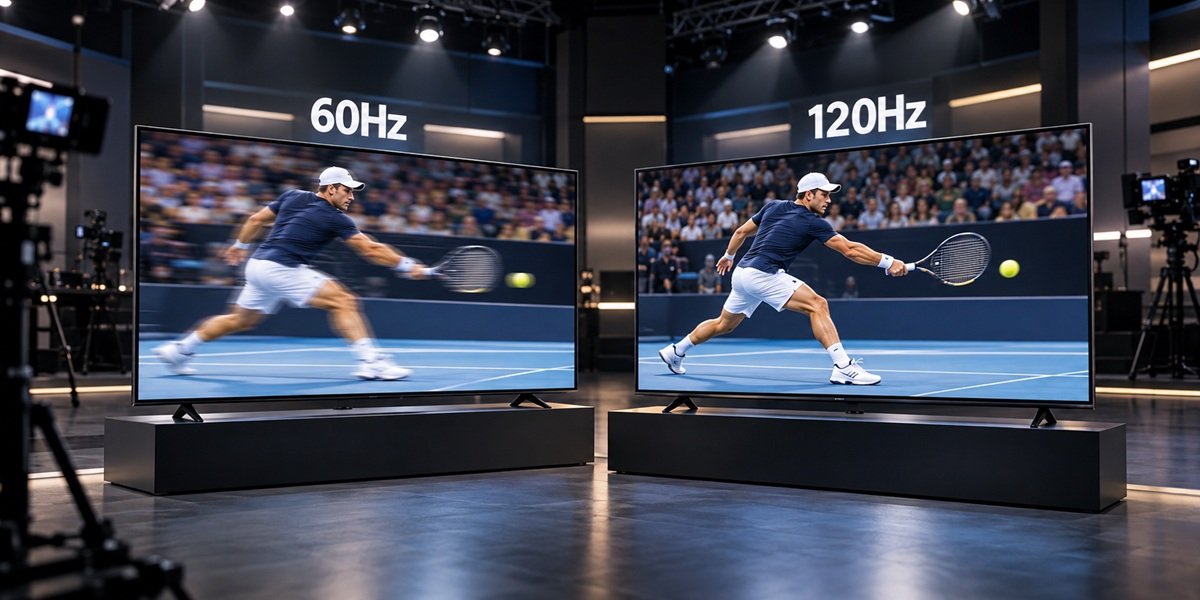
A faster refresh rate cuts persistence blur. Ghosting is a separate problem, and RTINGS says it depends more on the TV’s response time. RTINGS shows this with pursuit photos of the TCL QM8K at 60Hz and 120Hz: the 120Hz shot is clearly sharper, yet both still show some blur.
RTINGS’ overall conclusion is that a higher refresh rate generally brings better motion, but not in every case: other factors shape motion too.
Don’t Trust the Big Number on the Box
Several brands advertise motion figures that aren’t the actual refresh rate. RTINGS gives these examples:
- Samsung “Motion Rate”: a 60Hz TV is listed as Motion Rate 120, and a 120Hz TV as Motion Rate 240.
- LG “TruMotion”
- Vizio “Effective Refresh Rate”
- Sony “MotionFlow XR” and “X-Motion Clarity”
RTINGS’ view is that these marketing numbers don’t mean much on their own. Look for the native refresh rate in the specifications instead.
Frequently Asked Questions
What is a good refresh rate for a TV if I only watch streaming shows?
Without gaming, the 120Hz advantages RTINGS describes are less persistence blur in motion, cleaner 24p film playback compared with 60Hz TVs that rely on 3:2 pulldown, and the ability to interpolate 60 fps content if you use that feature. RTINGS still recommends 120Hz for most people.
Is 60Hz bad for gaming?
It limits you. The PS5, Xbox Series X and Switch 2 can output 120 fps, which a 60Hz TV can’t display. The only case where RTINGS doesn’t steer gamers to 120Hz is older, previous-generation or retro hardware.
Is Motion Rate the same as refresh rate?
No. Per RTINGS, Samsung’s Motion Rate figure is double the real refresh rate, so check the specification sheet for the native number.

Nridi
Editor, SignalVetted
This article does not report independent product testing.
✅ Based on RTINGS’ refresh rate explainer (updated February 2026) and its LG C6 OLED 2026 and Samsung S90H reviews.