Samsung 65M80H vs Samsung 65QN80H: What Local Dimming Changes, Per RTINGS
Last updated: October 2026
🕒 9 min read
Disclosure: As an affiliate partner, we may earn a commission from qualifying purchases made through the links in this article, at no extra cost to you.
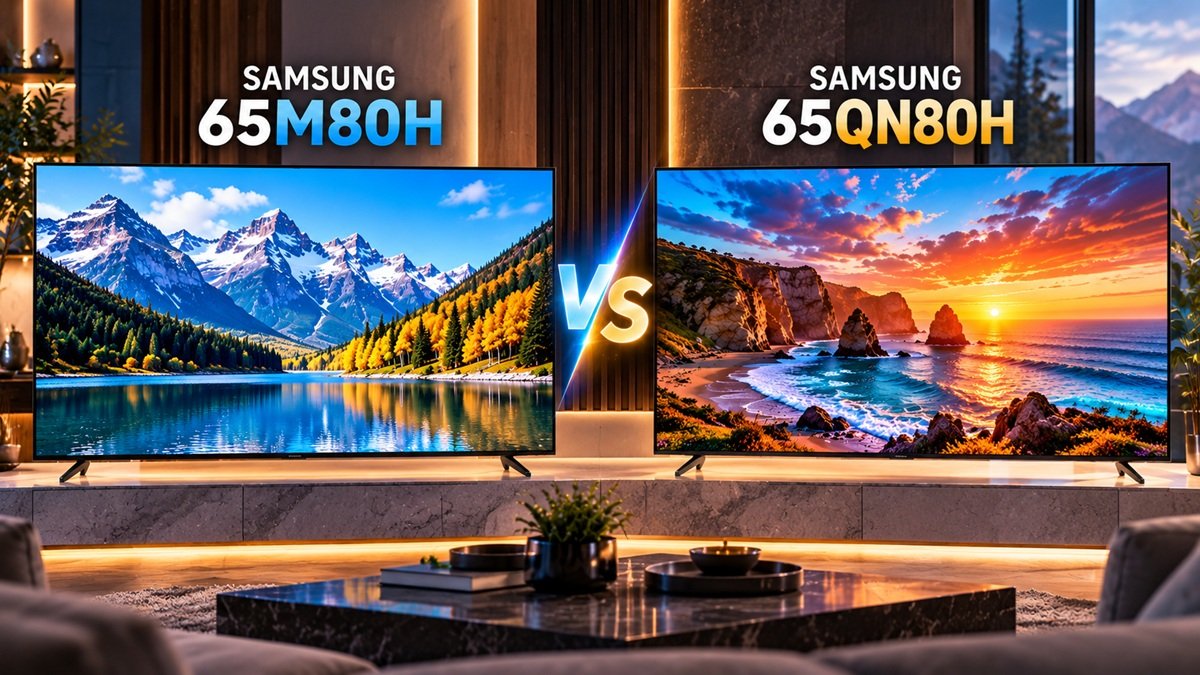
RTINGS’ results for the 65-inch Samsung M80H and the 65-inch Samsung QN80H, both units it bought and tested, point to one large difference. In the Samsung 65M80H vs Samsung 65QN80H comparison, the M80H has no local dimming and the QN80H has it built in. This page follows what that gap means for contrast and brightness, using the 65-inch results RTINGS published for each model.
RTINGS calls the M80H an entry-level TV and the QN80H a mid-range one, and it describes the QN80H as a significant step up from lower-end Samsung TVs such as the M80H. It says the M Series pairs the entry-level picture quality of Samsung’s U series with gaming features from the higher-end QLED lineup. RTINGS dates its M80H review June 3, 2026 and its QN80H review May 12, 2026.
SignalVetted did not test either TV. What follows is RTINGS’ data; our own readings of it are marked Inference. Inference: because the gap sits in the backlight, it matters most to people who watch in dim rooms or care about HDR, and much less to people who watch in moderate light.
Table of Contents
Quick Comparison
| Criterion | Samsung 65M80H | Samsung 65QN80H |
|---|---|---|
| Local dimming | None, per RTINGS | Present; cannot be turned off |
| Contrast | Rated poor; blacks look gray | Rated good |
| Brightness | SDR rated disappointing; HDR rated poor | SDR rated great; HDR rated decent |
Comparison reflects RTINGS’ published results for each TV, read side by side. It is not a lab-controlled head-to-head test, and RTINGS’ pages for these two models do not include a direct comparison of the pair.
Local Dimming: None on the M80H, Built In on the QN80H
RTINGS says the M80H lacks a local dimming feature entirely. Because of that, RTINGS reports no haloing around bright objects or subtitles in dark scenes, but it also reports that the entire screen is washed out. Our own Samsung 65M80H review goes through the rest of that TV’s results.
The QN80H does have local dimming, and RTINGS notes you can’t switch it off. Having it comes with a cost: RTINGS reports haloing that is noticeable around very bright areas. Inference: that trade-off is the price of getting darker blacks, and the M80H avoids it only because it never dims by zone. The rest of the QN80H’s results are in our Samsung 65QN80H review.
RTINGS also points out that Samsung uses the words “Mini LED” in its marketing of the M80H even though the TV has no local dimming, and it calls that marketing misleading. Inference: a backlight label on the box is not a stand-in for the feature itself, so check the dimming result before the marketing term.
Contrast: Poor on the M80H, Good on the QN80H
Contrast is the ratio between the brightest and darkest parts of the picture. RTINGS rates the two TVs very differently here.
RTINGS rates the M80H’s contrast as poor. The panel’s native contrast is quite good, the review says, but without local dimming blacks look gray. Inference: gray blacks matter least in a lit room, where ambient light already lifts the blacks on any screen, and most in a dim room, where the gap between a black screen and the bright parts of the picture is easiest to notice.
The QN80H earns a good rating. RTINGS rates the panel’s native contrast as decent and credits local dimming with darkening the dimmer parts of the screen. Because the feature can’t be disabled, RTINGS measured the QN80H’s native contrast with an inverted contrast pattern. Inference: that means the M80H’s native contrast and the QN80H’s native contrast were not measured in quite the same way, so the clearest comparison is the final contrast rating of each TV, not the native figure alone. For a deeper look at how the feature works, see our guide to local dimming.
RTINGS adds that the M80H’s low contrast ratio limits how well it shows dim colors in HDR. Inference: that carries the contrast gap over into HDR color.
Brightness: Where the QN80H Pulls Ahead
SDR
RTINGS rates the M80H’s SDR peak brightness as disappointing. It is bright enough for moderate amounts of daytime glare but not for an overly bright room, and the TV’s global dimming feature dims near-black scenes considerably. The QN80H gets a great rating: per RTINGS, glare in most rooms is easily overcome, and a slight dimming occurs when much of the screen is bright, which it says is not very noticeable with most content.
Inference: both TVs dim in some situations, but for different reasons: the M80H’s global dimming dims near-black scenes considerably, while the QN80H dims a little when much of the screen is bright. The first changes how dark scenes look, and the second changes how bright scenes look, so RTINGS’ two descriptions are not the same kind of limitation. A viewer who mostly watches dark films would notice the first more, and one who watches sports or daytime TV would notice the second more, if they noticed it at all.
HDR
For HDR, RTINGS rates the M80H’s peak brightness as poor. It is not bright enough to give an impactful result in bright scenes, small highlights don’t stand out, and most HDR content looks dull and flat. The QN80H is rated decent: RTINGS says most HDR content reaches an impactful level of brightness, while fine bright highlight details lack punch and very bright scenes look slightly flat. On the QN80H’s page, RTINGS says the TV is considerably brighter than cheaper Samsung models such as the M80H.
Reflections
Both screens are glossy, and RTINGS lists glare handling as a weakness of each. For the M80H it lists, as a con, that the screen can’t reduce the intensity of direct, mirror-like reflections, and it rates the total reflected light as sub-par. For the QN80H it lists a screen coating that does little against daytime glare, and it describes direct reflection handling as okay. Inference: the QN80H’s extra brightness helps it push through glare, but neither TV fixes reflections with its screen.
What the Step Up Does Not Change
Several results are the same on both TVs: a 144Hz native refresh rate on a glossy VA LCD panel, support for variable refresh rate, and no Dolby Vision. RTINGS rates the viewing angle of each as mediocre. Inference: paying for the QN80H buys a different backlight and more brightness, not a different panel type, a wider viewing angle or Dolby Vision support.
Who Should Choose the Samsung 65M80H
RTINGS describes the M80H as feature-packed, with a fully loaded smart interface, and says watching shows and movies in a moderately lit room works just fine. Inference: the M80H fits a viewer who watches mostly in moderate light, who doesn’t need deep blacks, and who wants a 144Hz panel and HDMI 2.1 bandwidth without a local dimming backlight. The trade-offs are gray blacks, dull-looking HDR, and a screen that RTINGS says handles moderate daytime glare but is not bright enough for an overly bright room. Anyone shopping for the M80H should also keep in mind that RTINGS rates its overall performance as mediocre, which is its summary of the TV and not a SignalVetted verdict.
Who Should Choose the Samsung 65QN80H
Inference: the QN80H fits a viewer who watches in dim rooms, cares about HDR, or needs a TV that can fight daytime glare with brightness. RTINGS rates it a good TV for most uses. In its summary, dark-room performance rests on a high contrast ratio and great black uniformity, while bright-room performance rests on high peak brightness, balanced against reflection handling it rates as just okay. That, RTINGS says, leaves it able to cope with a bit of daytime glare. The trade-offs are haloing around very bright objects and a glossy screen that still shows reflections.
Final Verdict
RTINGS’ published results put the gap between these two TVs in the backlight: none on the M80H, local dimming on the QN80H, and higher contrast and brightness ratings for the QN80H. Inference: if your room is dim or you watch a lot of HDR, that gap decides the choice; if you watch in moderate light and the brightness and contrast ratings matter less to you, the M80H’s shortfalls will matter less. For the brand as a whole, see our Samsung TV brand overview.
🛒 Check Samsung 65M80H (paid link)
🛒 Check Samsung 65QN80H (paid link)
Frequently Asked Questions
Is the difference in Samsung 65M80H vs Samsung 65QN80H mostly about local dimming?
According to RTINGS, local dimming is the clearest difference: the M80H has none and the QN80H has it. Inference: that single feature accounts for most of the contrast gap and some of the HDR gap, while panel type, refresh rate and viewing angle stay the same. The QN80H’s higher brightness ratings are a second, separate difference, and RTINGS reports them independently of the contrast results.
Do RTINGS’ 65-inch results apply to other sizes?
The 65-inch unit of each TV is the one RTINGS bought and tested. RTINGS extends the M80H results to the 55-, 75- and 85-inch sizes, and the QN80H results to 55-, 75-, 85- and 100-inch screens; only the 65-inch models are covered here. Read the RTINGS Samsung M80H review and the RTINGS Samsung QN80H review for the full results; this page does not reproduce numeric values.
Does the Samsung M80H have local dimming?
RTINGS says it does not: the M80H has no local dimming feature. The QN80H, in RTINGS’ testing, does have local dimming.

Nridi
Editor, SignalVetted
SignalVetted has not independently tested these TVs.
✅ Based on spec analysis and the sources named on this page.