
What Size TV for Living Room? Here’s the Simple Answer
Last updated: September 2026
🕒 6 min read
Disclosure: This article does not contain affiliate or sponsored links. SignalVetted may still reference specific products or brands for informational purposes only.
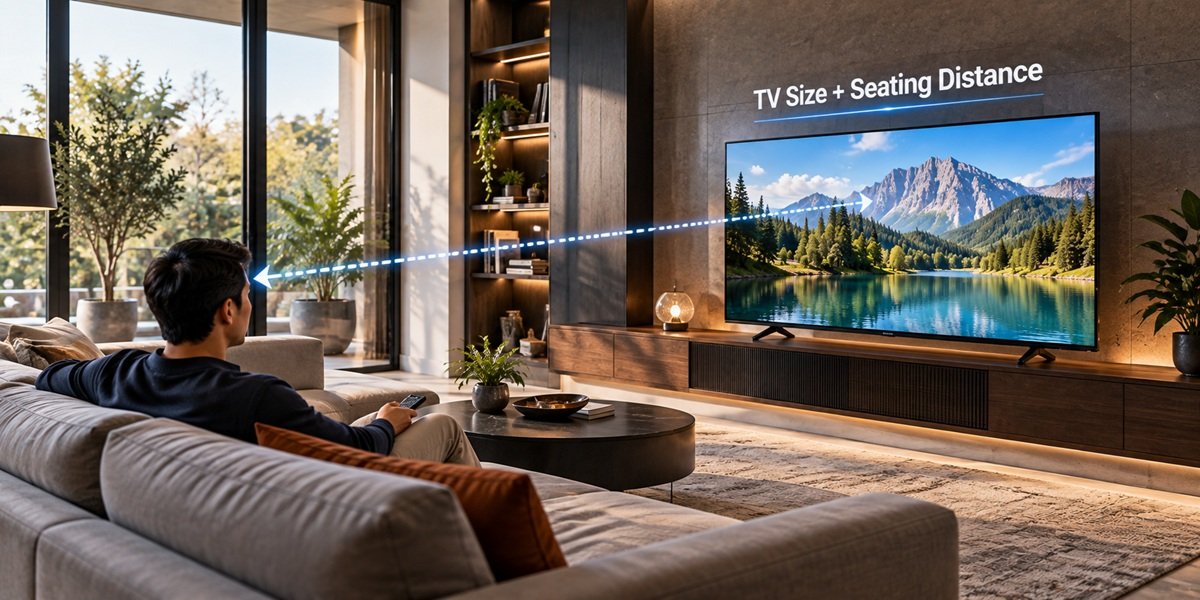
Your couch probably isn’t moving, and the wall it faces is where the new TV will go. So before comparing models, it helps to settle the size. If you’re wondering what size TV for living room viewing makes sense, the most useful number isn’t the size of the room. It’s how far you sit from the screen. This guide walks through that distance-first method using RTINGS’ size-to-distance research, and compares it with how Samsung frames the same choice.
Table of Contents
What Size TV for Living Room? The Short Answer
Measure the distance from your seat to where the screen will be, then pick a size that fills roughly 30 to 40 degrees of your field of view. RTINGS’ size-to-distance guide gives a quick shortcut: divide your viewing distance in inches by 1.6, and the result is roughly the TV size that fills a 30-degree angle.
Treat that number as a floor, not a final answer. RTINGS describes the size its calculator suggests as “the smallest TV we’d recommend”: a comfortable minimum for that seating distance, not the ideal size for every viewer.
Why Seating Distance Decides Screen Size
According to RTINGS, the two key factors in choosing a size are the field of view, which depends on both the screen size and your distance from it, and the resolution. The field of view is what matters most today. A screen that fills too little of your vision makes fine details, on-screen text and game menus hard to see. One that fills too much means turning your head to follow the action.
RTINGS cites figures from the Society of Motion Picture and Television Engineers (SMPTE):
- 30 degrees. SMPTE’s recommended minimum for a good experience with mixed usage, as RTINGS reports it. RTINGS calls this a good baseline for most setups.
- 40 degrees. Recommended for a more immersive, cinematic experience. RTINGS says this is “generally the safest way to go” and strikes a balance between immersion and comfort.
- 62 degrees. SMPTE’s maximum, which RTINGS describes as the absolute largest you would comfortably want for a fixed distance. RTINGS compares it to standing an arm’s length from an ordinary interior door.
RTINGS’ practical target is the range in between: a TV that fills somewhere between 30 and 40 degrees of your view.
TV Size to Distance Chart
This is RTINGS’ table of viewing distances for each screen size at the three angles. Find your size, or find the distance closest to your seat.
| Screen size | 30° (mixed usage) | 40° (cinema) | 62° (maximum) |
|---|---|---|---|
| 32″ | 4’4″ (1.32 m) | 3’2″ (0.97 m) | 1’11” (0.58 m) |
| 40″ | 5’5″ (1.65 m) | 4’0″ (1.22 m) | 2’5″ (0.73 m) |
| 43″ | 5’10” (1.78 m) | 4’4″ (1.31 m) | 2’7″ (0.79 m) |
| 48″ | 6’6″ (1.98 m) | 4’9″ (1.46 m) | 2’10” (0.88 m) |
| 50″ | 6’9″ (2.07 m) | 5’0″ (1.52 m) | 3’0″ (0.91 m) |
| 55″ | 7’5″ (2.27 m) | 5’6″ (1.67 m) | 3’4″ (1.00 m) |
| 65″ | 8’10” (2.69 m) | 6’6″ (1.98 m) | 3’11” (1.20 m) |
| 70″ | 9’6″ (2.89 m) | 7’0″ (2.13 m) | 4’3″ (1.29 m) |
| 75″ | 10’2″ (3.10 m) | 7’6″ (2.28 m) | 4’7″ (1.38 m) |
| 77″ | 10’5″ (3.18 m) | 7’8″ (2.34 m) | 4’8″ (1.42 m) |
| 83″ | 11’3″ (3.43 m) | 8’3″ (2.53 m) | 5’0″ (1.53 m) |
| 85″ | 11’6″ (3.51 m) | 8’6″ (2.59 m) | 5’2″ (1.57 m) |
| 98″ | 13’3″ (4.05 m) | 9’9″ (2.98 m) | 5’11” (1.81 m) |
| 110″ | 14’11” (4.55 m) | 11’0″ (3.35 m) | 6’8″ (2.03 m) |
| 115″ | 15’7″ (4.75 m) | 11’6″ (3.50 m) | 6’11” (2.10 m) |
Source: RTINGS, “TV Size To Distance Calculator (And The Science Behind It)”, updated June 2026, checked September 2026.
The chart shows how wide the acceptable range can be. In RTINGS’ own example, with a couch 7 feet from the screen, anything from a 50-inch to a 115-inch model could work, depending on how immersive you want it to feel.
Using the 1.6 shortcut
Here’s how the RTINGS rule works in practice. The arithmetic below is ours, applied to RTINGS’ formula:
- Measure from where your eyes will be when seated to where the screen will sit, in inches. For example, 9 feet is 108 inches.
- Divide by 1.6. In this example, 108 ÷ 1.6 = 67.5.
- Read the result as a minimum: about 67.5 inches, so in practice a 70-inch TV. The chart agrees. A 70-inch reaches 30 degrees at 9’6″, while a 65-inch only reaches it at 8’10”, so at 9 feet it falls just short.
- Check the 40-degree column if you want a more cinematic view, then check whether that size physically fits (see the fit checklist below).
How Far Should You Sit From a TV?
If you already own the TV, or have your heart set on a size, run the same chart the other way. Find your screen size in the first column, and read across:
- The 30-degree distance is roughly the farthest you’d want to sit for a good mixed-use picture.
- The 40-degree distance is closer and more cinematic.
- The 62-degree distance is the closest RTINGS would go. Sit any nearer, it says, and you’d keep turning your head to see everything on screen.
Take a 65-inch TV. RTINGS’ table puts it at 8’10” for 30 degrees and 6’6″ for 40 degrees, so seating somewhere between about 6.5 and 9 feet keeps it in RTINGS’ 30-to-40-degree target. Turning the 1.6 rule around gives a similar answer: 65 × 1.6 = 104 inches, or about 8’8″ (our arithmetic), close to the chart’s 8’10”.
Very large screens are the exception. RTINGS notes that TVs over 98 inches don’t necessarily follow its size-to-distance curve, since they’re about making the picture as immersive as possible. At that size, RTINGS suggests a projector as an alternative to a TV — for how one specific OLED TV and one specific projector actually compare, see our OLED TV vs. projector comparison.
Samsung’s View: The Largest Screen That Will Fit
Not every guide frames the choice the same way. Samsung’s TV size guide illustrates a 75-inch TV viewed from 2.3 meters (about 7.5 feet), filling a 40-degree angle. That example lines up with RTINGS’ chart, which lists 7’6″ as the 40-degree distance for a 75-inch screen. It’s Samsung’s example, not a universal rule, and a 75-inch set won’t suit every room.
Where the two differ is the starting point. Samsung’s guide recommends that if your chosen TV spot has room to spare, you make use of it by buying “the largest screen that will fit.” That’s a space-first approach: fill the spot you have. RTINGS takes a distance-first approach: work out the angle the screen will fill from your seat, treat 30 degrees as the minimum and 62 degrees as the upper limit, and aim for 30 to 40.
The two can point to different sizes. A wide wall with a close couch might physically fit a screen that RTINGS’ chart places above 40 degrees, or even beyond 62. We don’t think either guide is wrong. They answer different questions, one about the space and one about the view from your seat, so it’s worth checking your plan against both.
Does 4K or 8K Change the Answer?
Much less than it used to. RTINGS explains that 1080p barely exists in large TVs anymore, so for most buyers the choice of resolution is simply 4K. It advises against 8K, because there’s “essentially no 8k content” to watch.
Resolution still connects to distance through what RTINGS calls angular resolution: the point at which your eyes can tell individual details apart. RTINGS reports that, according to experts, someone with 20/20 vision can tell apart details separated by just 1/60th of a degree. Sit too close to a low-resolution screen and you start to see the pixels. Sit too far back and you can’t make out the extra detail a higher resolution adds.
RTINGS’ example is a 65-inch TV. The distance at which your eyes can process full 4K detail is about 4 feet, and anywhere from 4 to about 8.5 feet is close enough to see a difference between 4K and 1080p. Even so, RTINGS calls the question largely moot now that 4K is standard. Because eyesight varies, it recommends choosing a size from the field of view rather than from resolution.
For a plain-language definition of the resolution names, see our explainer on UHD and TV resolution.
Check the Fit Before You Buy
RTINGS lists other factors that play an important part: how wide the space is, how much height is available for the TV, and even how wide your cabinet or stand is. Before you commit:
- Know how size is measured. Samsung’s guide notes that “TV screen size is measured from corner to corner, diagonally,” so a 65-inch TV isn’t 65 inches wide.
- Check the width. RTINGS’ approximate size chart puts a 65-inch screen at about 56.7 inches wide and 31.9 inches tall. It notes these figures vary slightly between screen types and don’t include the bezels.
- Use the maker’s numbers. RTINGS advises checking the full dimensions on the manufacturer’s website before buying, and Samsung’s guide also tells readers to check the full TV dimensions.
- Check the furniture. If the TV will sit on a cabinet or stand, make sure it’s wide enough for the set.
- Tape it out. RTINGS suggests marking the TV’s outline on the wall with painter’s tape. If you tape out several sizes at once, RTINGS notes, you can easily compare them.
For where to put the screen on the wall, see our guide on how high a TV should be mounted.
Bigger or Smaller Than the Chart Says?
Don’t worry about hitting the chart exactly. RTINGS says it’s “not the end of the world” to end up slightly bigger or smaller than the ideal. Its example: if you know you’re moving to a bigger room within a year, it’s fine to buy the larger TV now.
Budget matters too. RTINGS’ advice is that if the ideal size is outside your budget, “just get the biggest TV you can afford,” and it frames the whole chart as a set of guidelines rather than rules.
If the chart lands you on 65 inches and you’re weighing OLED models, our guide to the best 65-inch OLED TVs compares LG and Samsung options at that size.
Frequently Asked Questions
What size TV for a living room if I sit 10 feet away?
Ten feet is 120 inches, and 120 ÷ 1.6 = 75, so RTINGS’ shortcut points to about a 75-inch TV as a minimum (our arithmetic). RTINGS’ chart agrees: it lists 10’2″ as the 30-degree distance for a 75-inch screen. At 40 degrees, 10 feet falls between the chart’s 98-inch (9’9″) and 110-inch (11’0″) rows. Check your wall width and furniture before going up in size.
Is a bigger TV always better?
Not by RTINGS’ measure. It treats 62 degrees of your field of view as the upper limit; sit closer than that, it says, and you’d be turning your head to follow the picture. Short of that limit, RTINGS says ending up slightly bigger or smaller than the ideal is fine, and if the ideal size is over budget it favors the biggest TV you can afford.
Does 4K change how close I can sit?
It gives you more freedom. RTINGS explains that 4K’s higher pixel density makes individual pixels much harder to notice, so you’d have to sit very close to a big screen before pixels become distracting.

Nridi
Editor, SignalVetted
This article does not report independent product testing.
✅ Based on RTINGS’ TV size-to-distance guide (updated June 2026) and Samsung’s TV size guide.