TCL 65QM8L vs 65QM7L: Specs Compared
Last updated: October 2026
🕒 5 min read
Disclosure: As an affiliate partner, we may earn a commission from qualifying purchases made through the links in this article, at no extra cost to you.
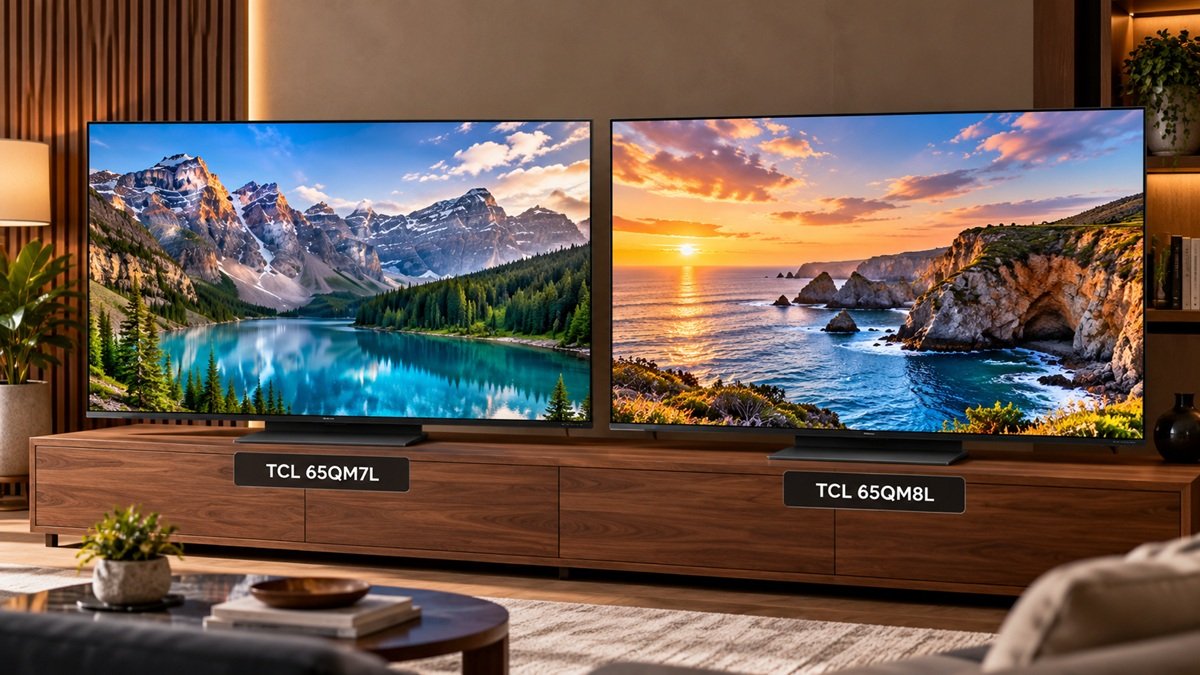
Two TCL Mini-LED sets in the 65-inch size prompt the TCL 65QM8L vs 65QM7L question, which mostly comes down to what TCL’s own spec pages say about each. This article lines up those listings side by side. It is based on manufacturer specifications only: we haven’t tested either TV, so nothing here describes how either set looks or behaves in a room. If you’re still choosing between lines, the best QLED TVs guide covers where both models sit in the wider field.
Table of Contents
Summary of What TCL Lists
The Short Version
Both pages describe a 4K, 144Hz, QLED, SQD-Mini LED TV running Google TV. The listed differences include the panel, the dimming and brightness figures, the processor, Wi-Fi, the HDMI 2.1 setup, the eARC port, the tuner, FlexConnect, casting and the weight.
The sources are TCL’s US product pages for the QM8L and the QM7L, both opened on 22 October 2026. Neither page showed a publication date.
TCL 65QM8L vs 65QM7L: Side-by-Side Specs
Where the Two Listings Differ
| Spec | TCL 65QM8L | TCL 65QM7L |
|---|---|---|
| Panel | WHVA 2.0 Ultra | HVA 2.0 Pro |
| Dimming zones | TCL lists up to 4000 | TCL lists up to 2100+ |
| Peak brightness | TCL lists up to 6000 nits | TCL lists up to 3000 nits |
| Processor | TSR AI Pro | TSR AI |
| Wi-Fi | Wi-Fi 6 | Wi-Fi 5 |
| HDMI 2.1 | 4 ports, 4K at 144Hz | HDMI 1–2 at 144Hz; HDMI 3–4 at 60Hz |
| eARC | HDMI 1 | HDMI 4 |
| Tuner | ATSC 3.0 / 1.0 | ATSC 1.0 |
| FlexConnect | TCL lists up to 4x Z100 | TCL lists up to 3x Z100 |
| Casting | Chromecast and AirPlay 2 | Chromecast |
| DTS:X in passthrough list | Listed | Not listed |
| Weight with stand | 50.9 lb | 43.9 lb |
Source: TCL US product pages for each model, opened 22 October 2026.
What Both Pages List in Common
The two listings agree on 4K resolution, a 144Hz refresh rate, QLED with SQD-Mini LED, 100% BT.2020 coverage, and Dolby Vision IQ, HDR10, HDR10+ and HLG. They also share Google TV, FreeSync Premium Pro, Game Accelerator 288, a VESA 300×300 mount pattern, Bluetooth 5.4, Bang & Olufsen audio and a one-year warranty.
🛒 TCL 65QM8L (paid link)
🛒 TCL 65QM7L (paid link)
What the 65QM8L vs 65QM7L Differences Mean
Brightness and Dimming Figures
TCL lists up to 4000 dimming zones and up to 6000 nits for the QM8L. For the QM7L, TCL lists up to 2100+ zones and up to 3000 nits. On paper that is roughly double the listed zones and double the listed peak brightness.
These are maximum figures from a manufacturer, not measurements. For background on what dimming zones do, see our local dimming explainer. TCL’s pages don’t say how either set performs in a bright or dark room.
For what RTINGS found when it tested an earlier TCL Mini-LED and separately compared Mini-LED with OLED, see our look at whether a TCL Mini-LED looks as good as OLED.
HDMI Ports and Gaming Connections
Both models list 144Hz, FreeSync Premium Pro and Game Accelerator 288. The difference is how many ports carry the top refresh rate. TCL’s QM8L page shows four HDMI 2.1 ports at 4K and 144Hz. The QM7L page shows only HDMI 1 and 2 at 144Hz, with HDMI 3 and 4 at 60Hz.
For someone with several devices, that decides which inputs to use for which gear. Our HDMI 2.1 explainer covers what the standard is, and the per-port split on the QM7L is a reason to check TCL’s port labels before wiring a console and a PC to the same set.
Wi-Fi, Tuner, Casting and Audio
The QM8L lists Wi-Fi 6 and the QM7L lists Wi-Fi 5. The QM8L page also lists an ATSC 3.0 and 1.0 tuner, where the QM7L page lists ATSC 1.0 only. For casting, the QM8L lists Chromecast and AirPlay 2, and the QM7L lists Chromecast.
On audio, the eARC connection is on HDMI 1 for the QM8L and HDMI 4 for the QM7L. That changes which port a soundbar would use. On the QM7L, TCL’s listing puts eARC on HDMI 4, which is one of the two ports listed at 60Hz. Both pages list DTS:X in the “DTS Processing” field. The only difference is the Audio Passthrough list, where DTS:X appears for the QM8L and does not appear for the QM7L. That is a statement about the passthrough lists, not about whether either TV supports DTS:X.
Processor, FlexConnect and Weight
TCL names TSR AI Pro for the QM8L and TSR AI for the QM7L, without explaining in the text we used what the “Pro” adds. TCL lists FlexConnect at up to 4x Z100 for the QM8L and up to 3x Z100 for the QM7L. The weight with stand is 50.9 lb against 43.9 lb, a 7 lb gap that matters mostly for stand placement and wall mounting, where both list the same VESA 300×300 pattern.
What TCL’s Pages Don’t Say
Gaps in the Listings
- The QM8L text we used names ALLM, Game Bar, VRR and IMAX Enhanced without values, so this article does not say whether the QM8L has them.
- The QM8L power consumption is shown as TBD, so no power comparison is made.
- An item missing from a page is not the same as an item the TV lacks. Anything not listed above is simply not covered.
- Neither page shows a publication date, and the QM7L link we used is a variant link, so check TCL’s current page before you buy.
- No picture quality, motion, brightness or price comparison is made here, because none of that is in the sources.
Frequently Asked Questions
Do the TCL 65QM8L and 65QM7L run the same operating system?
Both TCL pages list Google TV. The platform is the same on paper, so the differences that remain are in the hardware, ports and connectivity.
Which HDMI port is eARC on the TCL 65QM8L vs 65QM7L?
TCL lists eARC on HDMI 1 for the QM8L and on HDMI 4 for the QM7L. Check the port labels on the back of your set before you connect a soundbar.
Do the two TVs have the same warranty?
Both pages list a one-year warranty and point to the Quick Start Guide for details. Terms and exclusions aren’t covered in the text we used, so check the Quick Start Guide.

Nridi
Editor, SignalVetted
SignalVetted has not independently tested this TV.
✅ Based on spec analysis and the sources named on this page.