
OLED TV eARC CEC Not Working?
Last updated: September 2026
🕒 8 min read
Disclosure: This article does not contain affiliate or sponsored links. SignalVetted may still reference specific products or brands for informational purposes only.
You’ve connected a soundbar or receiver to your OLED TV over HDMI, and something isn’t working the way it should — either there’s no sound at all, or the sound is fine but your TV remote won’t turn the soundbar on or control its volume. Most advice online treats this as one problem with one checklist. It isn’t. eARC and HDMI-CEC are two separate systems that happen to share the same HDMI cable, and figuring out which one has actually failed is the difference between a five-minute fix and an hour of guessing. For a broader look at how OLED TVs handle connections and performance overall, our full OLED TV guide covers that separately from this specific issue.
Table of Contents
OLED TV eARC CEC Not Working? Two Related but Different Systems
CEC (HDMI Consumer Electronics Control) is a device-control system: LG’s page describes its version as enabling “power control between products” connected over HDMI. eARC (Enhanced Audio Return Channel) is the audio path — Samsung’s page describes it as letting the TV send high-bitrate audio to an external audio device. The two are linked on Samsung TVs, where Anynet+ (Samsung’s name for CEC) being on is a stated requirement for eARC.
Beyond that, splitting the problem into “the sound is missing” versus “the remote control isn’t syncing” is our own troubleshooting framing, not something either brand’s page spells out — but it’s a practical way to decide which setting to check first, and it can keep you from resetting sound settings when the setting that’s off is CEC, or hunting through device-control menus when the culprit is an unsupported HDMI cable.
How It Works, Brand by Brand
LG: Simplink Is LG’s Name for CEC
Per LG’s own support page, LG’s CEC implementation is called Simplink, and it enables “power control between products” connected over HDMI — turning it on activates Auto Power, which synchronizes power state between your TV and compatible HDMI devices. Where to find it depends on your TV’s WebOS version. On 2021–2022 models (WebOS 6.0/22): Settings, All Settings, General, Devices, HDMI Settings, Simplink (HDMI-CEC), On. On 2020 models (WebOS 5.0): Settings, All Settings, Connection, Device Connection Settings, Simplink (HDMI-CEC), On. On 2019 models (WebOS 4.5): Settings, All Settings, Connection, HDMI Device Settings, Simplink (HDMI-CEC), On. On 2018 models and earlier (WebOS 4.0): Settings, All Settings, General, Simplink (HDMI-CEC), On.
LG’s own page covers enabling Simplink specifically — it doesn’t use the term eARC or give eARC-specific troubleshooting, so that half of this article leans more on Samsung’s documentation below.
Samsung: eARC and Anynet+ Work Together, But Aren’t the Same Thing
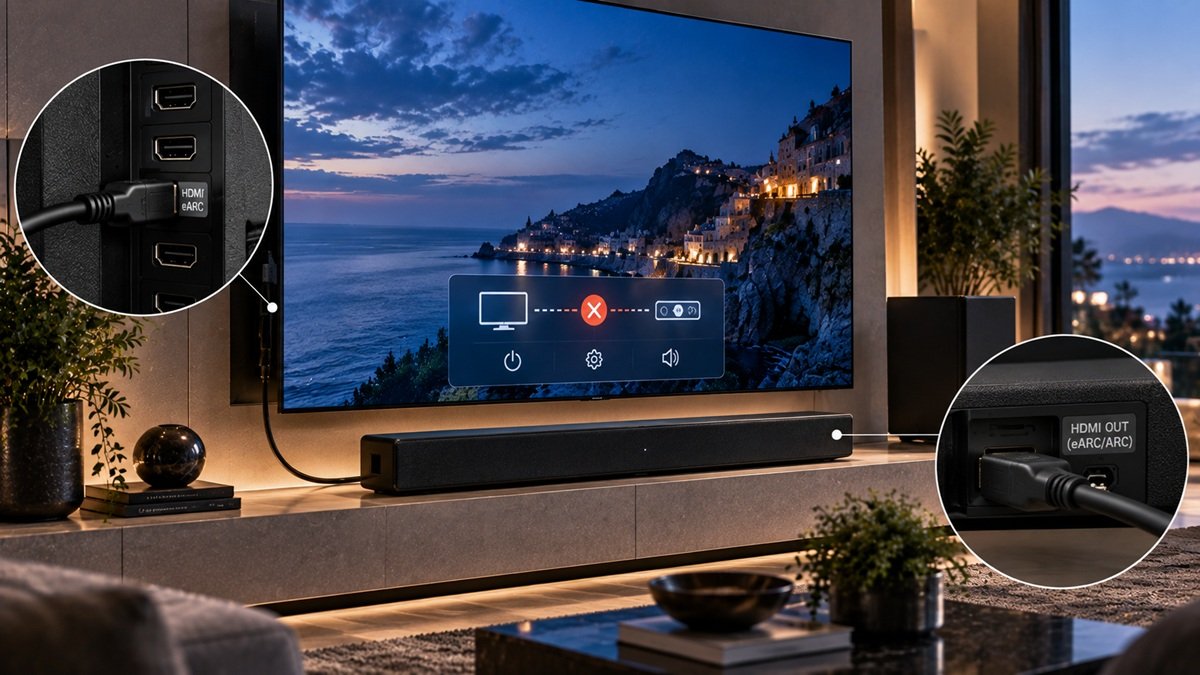
According to Samsung’s own support documentation, eARC is “an advanced version of the Audio Return Channel (ARC) feature built into HDMI 2.1-compliant devices,” letting the TV “transmit high-bitrate audio formats directly to an external audio device… without compromising audio quality,” including uncompressed formats like Dolby TrueHD, Dolby Atmos, and DTS:X. Samsung lists three requirements: an HDMI 2.1-compliant cable (labeled HEAC or HEC), compatible eARC ports on both the TV and the audio device, and Anynet+ (Samsung’s name for HDMI-CEC) turned on.
Setup, per Samsung: confirm both devices support eARC, connect them with the correct cable into the eARC-labeled port on each, go to Settings, Sound, External Speakers, HDMI eARC, then separately enable Anynet+ (HDMI-CEC) under Settings, General, Network, HDMI Control.
If it still doesn’t work, Samsung’s own troubleshooting steps are: confirm both devices are actually plugged into the eARC-labeled port and not a regular HDMI port, verify the cable is actually HDMI 2.1-compliant rather than an older cable that just happens to fit the port, confirm Anynet+ is on, reset HDMI eARC Mode to Auto under Sound settings, and try switching the Digital Output Audio Format between PCM, Auto, and Pass-Through.
Scenario-Based Guidance
If your remote controls the soundbar fine (power and volume sync work) but there’s no actual sound: that points toward the audio side (eARC) rather than CEC — again, our own framing. On a Samsung TV, work through Samsung’s checklist above. We didn’t source LG-specific eARC troubleshooting (LG’s page covers Simplink only), so on an LG TV the port, cable and audio-format checks are general things to try rather than LG-documented steps: confirm you’re using the eARC-labeled port, confirm the cable is HDMI 2.1-compliant, and try the different audio output format options your TV offers.
If the sound works but your remote won’t turn the soundbar on or adjust its volume: that points toward CEC rather than eARC. On LG, walk through the Simplink menu path for your WebOS version above and confirm it’s set to On. On Samsung, confirm Anynet+ (HDMI-CEC) is enabled under Settings, General, Network, HDMI Control. One caveat, and this is our inference from Samsung’s stated requirement rather than a Samsung statement: if Anynet+ is already on and you still have no remote control, it’s worth re-checking whether the sound is actually arriving over eARC or over a different audio connection.
If nothing works at all — no sound and no remote control — start with CEC first. On Samsung specifically, Anynet+ is a stated prerequisite for eARC, so an eARC fix attempted while CEC is still off may not do anything. Confirm CEC or Simplink is on, then move to the eARC-specific checks above.
If the TV’s own sound is very low or missing, our guide to fixing Samsung TV sound covers the steps on Samsung’s US support page.
Common Misconceptions or Mistakes
A common misconception is assuming eARC and CEC are just two names for the same setting. They’re not — CEC handles device control, eARC handles audio, and on Samsung TVs, CEC being on is documented as a requirement for eARC to work, not an interchangeable label for it. Turning on one without checking the other leaves half the setup unverified.
A second misconception is assuming any HDMI cable will carry eARC properly. Samsung’s own requirements specify an HDMI 2.1-compliant cable, labeled HEAC or HEC — an older or lower-spec HDMI cable can be the entire reason eARC isn’t working, even with every setting correct.
A third misconception is assuming CEC is already turned on. LG publishes a dedicated support page on enabling Simplink, with a different menu path for each WebOS version — checking your CEC setting directly is worth doing before assuming a cable or port is at fault. Since the menu path itself changes across WebOS versions, it’s easy to look in the wrong place and conclude the feature doesn’t exist on a particular TV when it’s simply filed under a different settings screen.
Frequently Asked Questions
What’s the actual difference between ARC, eARC, and CEC?
CEC handles device control — LG’s page describes its version, Simplink, as enabling power control between connected products. ARC and eARC handle audio — carrying sound from the TV to an external device, with Samsung’s page describing eARC as an advanced version of ARC that supports high-bitrate formats, including uncompressed ones like Dolby TrueHD, Dolby Atmos and DTS:X. On Samsung TVs, Anynet+ (CEC) is a stated requirement for eARC, so the two are linked — it’s worth checking CEC first when nothing works.
My soundbar’s sound works, but my remote won’t control it — what’s wrong?
That points toward CEC rather than eARC, since audio is already working. On LG, check that Simplink (HDMI-CEC) is set to On using the menu path for your TV’s WebOS version. On Samsung, confirm Anynet+ (HDMI-CEC) is enabled under Settings, General, Network, HDMI Control.
Do I need a special HDMI cable for eARC to work?
It depends on your TV maker. Samsung’s own requirements call for an HDMI 2.1-compliant cable labeled HEAC or HEC. HDMI.org’s general guidance is less strict: it says a Premium High Speed HDMI Cable with Ethernet can be used, and that an Ultra High Speed HDMI Cable is needed to enable all HDMI 2.1 features. Check your own TV’s requirement first; our HDMI eARC explainer covers what eARC itself is.

Nridi
Editor, SignalVetted
This article does not report independent product testing.
✅ Based on LG’s and Samsung’s own official support documentation.