
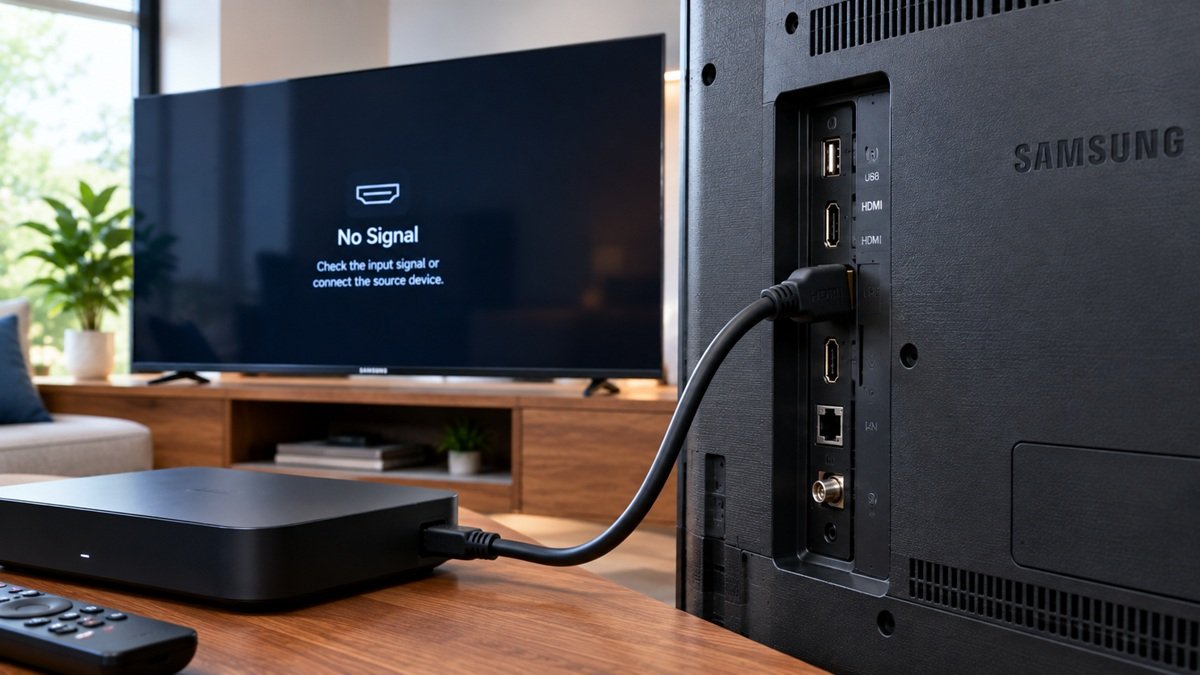
Samsung TV HDMI Port Not Working: Steps to Try
Last updated: October 2026
🕒 2 min read
Disclosure: This article does not contain affiliate or sponsored links. SignalVetted may still reference specific products or brands for informational purposes only.
If a device such as an Xbox, a PlayStation 5, a Blu-ray player, a cable box or a Roku doesn’t show up on your Samsung TV’s screen, Samsung’s support page says you could be having an issue with the HDMI ports. This article covers a Samsung TV HDMI port not working, using that page only and Samsung TVs only.
Table of Contents
First Checks When a Samsung TV HDMI Port Not Working
- Power on the connected device. Samsung says to verify that the device is actually powered on. If it doesn’t turn on, Samsung says you need to contact the manufacturer of your external device.
- Select the right source on your TV. When a device is connected, Samsung says you have to set the TV’s source to the same port you connected it to. Its example: an Xbox connected to the port labeled HDMI 1 on the back of your TV means setting the source to HDMI 1.
Reconnect the Cable and Try Another Port
Samsung says to disconnect the HDMI cable from the TV and the external device, then reconnect it firmly to the external device first and the TV second.
If it still doesn’t work, Samsung says to try the cable in a different port and select the new source. If it works in a different port, Samsung says your external device and HDMI cable work, but there seems to be an issue with the original HDMI port, and you need to schedule repair. If it doesn’t, continue to the next step.
Try a Different Cable or Device
Samsung says to try again with a different HDMI cable, and to use a high-speed, high-quality one.
Then connect a different external device. Samsung says this tells you whether the issue is with the original device. If the issue remains, it says to contact the manufacturer’s support team of that device. If the different device still doesn’t work and all other steps have been completed, Samsung says the TV will need service.
Requesting Service
Samsung says to visit the Samsung Support Center to request service for your TV.
If your Samsung TV has very low or no audio, see our Samsung TV sound troubleshooting guide.
What Samsung’s Page Doesn’t Say
The page doesn’t show a date or list which TV models or years the steps apply to. It gives no cause for an HDMI port failing.
Frequently Asked Questions
What should I check first if my Samsung TV HDMI port isn’t working?
Samsung says to verify the device is powered on, then set the TV’s source to the port it’s connected to.
Does Samsung say to try a different HDMI cable?
Yes. Samsung says to try again with a different HDMI cable and to use a high-speed, high-quality one.
When does Samsung say the TV needs service?
Samsung says to schedule repair if the cable works in a different port. It says the TV will need service if a different device still doesn’t work and all other steps are done.

Nridi
Editor, SignalVetted
This article does not report independent product testing.
✅ Based on the sources named on this page.