
Why Is My LG TV Not Turning On? What LG Says to Check
Last updated: October 2026
🕒 3 min read
Disclosure: This article does not contain affiliate or sponsored links. SignalVetted may still reference specific products or brands for informational purposes only.
Why is my LG TV not turning on? LG’s own troubleshooting page for a TV with no power points to four possible causes and walks through three checks you can do yourself. This guide summarizes that page. It is LG’s guidance for LG TVs, not a rule for every brand.
It covers only what LG’s page states. It doesn’t add steps of our own.
Table of Contents
Why Is My LG TV Not Turning On? The Four Causes LG Lists
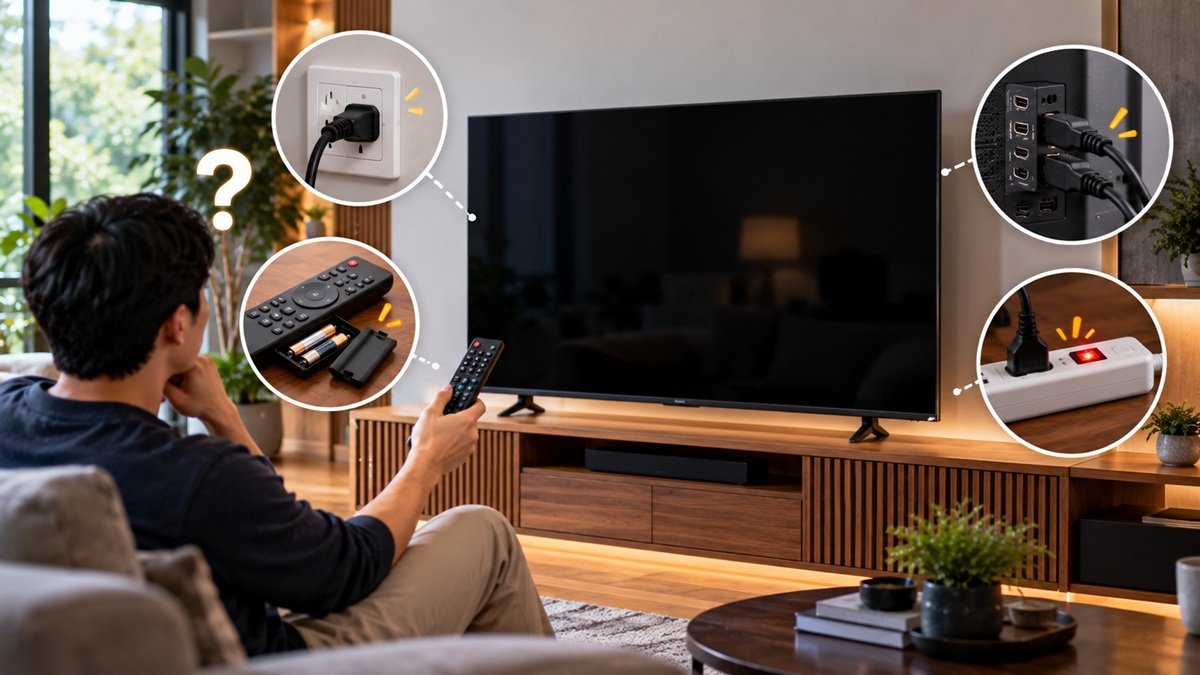
According to LG’s US support page (the page shows the date 08/14/2025), a TV that won’t power on usually comes down to one of four things:
- Power cord contact: LG says unplugging the cord and plugging it in correctly may resolve the symptoms.
- The remote control: if the remote still doesn’t power the TV on after the batteries are replaced, LG says the remote may need to be checked and replaced.
- The outlet: if the outlet has no power, the TV will not work, and LG says to check whether the breaker has tripped.
- The TV itself: if simple actions don’t fix it, LG says you may need a professional service engineer.
Check 1: The Power Cord
LG describes this case as the standby light not lighting up, with neither the remote nor the power button turning the TV on, because electricity isn’t reaching the power circuitry.
LG says to push the power cord back in at the rear of the TV with a little pressure. Power connections differ by model. With an adapterized power cord, LG says to check for any missing adapter connection as well as the cord at the TV and the wall outlet. With an integrated power cord, the cord on the back can’t be removed, so you only check the outlet connection.
Next, LG says to unplug the cord from the outlet and plug it in one more time. When the standby light comes back on, turn the TV on with the remote or the power button on the base. If the light still doesn’t come on, LG says the outlet may not have power or there may be a problem with the product.
Check 2: The Remote Control
LG says to try the power button on the base of the TV first. Its position varies by product. If the TV turns on that way, LG says the remote may be faulty.
LG’s first step for the remote is new batteries. It notes that batteries have an expiration date and discharge after a certain period, and that they must go in the right way round, because they won’t work upside down.
After that, LG suggests checking the remote’s signal. With the recording feature of an Android phone’s camera turned on, point the lens at the top of the remote and press the power button. The camera should show a bright light each time you press a button. LG adds that this may not test for iPhones. If you see no light when you press the power button, LG says the remote may be faulty.
Check 3: The Power Outlet
If the TV still won’t turn on after you’ve checked the cord, the remote and the base button, LG says to confirm the outlet is delivering normal electricity. Its examples are a hair dryer or a cell phone charger. If other appliances work and only the TV doesn’t turn on, LG says it may be a problem with the product.
What This Page Doesn’t Cover
LG says its guide was created for all models, so the images or content may differ from your TV. In the page text we reviewed, LG gives no reset steps, doesn’t explain what the standby light means beyond the cases above, and doesn’t say how to contact service. It also gives no steps for checking a tripped breaker, which it mentions only as a cause.
This guide is about LG TVs that won’t turn on. It doesn’t cover other brands. For a Samsung TV that keeps switching itself off, see our guide on why a Samsung TV keeps turning off.
If your LG TV turns on and you hear sound but see no picture, see our guide on why an LG TV has sound but no picture.
Frequently Asked Questions
Why is my LG TV not turning on?
LG lists four causes: poor contact at the power cord, a remote control problem, an outlet fault, or a fault in the TV. It says simple actions like reconnecting the cord may fix the first one, and that a TV fault may need a professional service engineer.
How can I tell whether the remote or the TV is the problem?
LG says to press the power button on the base of the TV. If the TV turns on that way, the remote may be faulty, and LG suggests replacing the batteries first.
What if the standby light doesn’t come on?
LG says to reconnect the power cord and plug it back into the outlet. If the standby light still doesn’t turn on, it says the outlet may not have power or there may be a problem with the product.

Nridi
Editor, SignalVetted
This article does not report independent product testing.
✅ Based on LG USA Support’s “[LG TV] No power on TV” page (page shows 08/14/2025).