
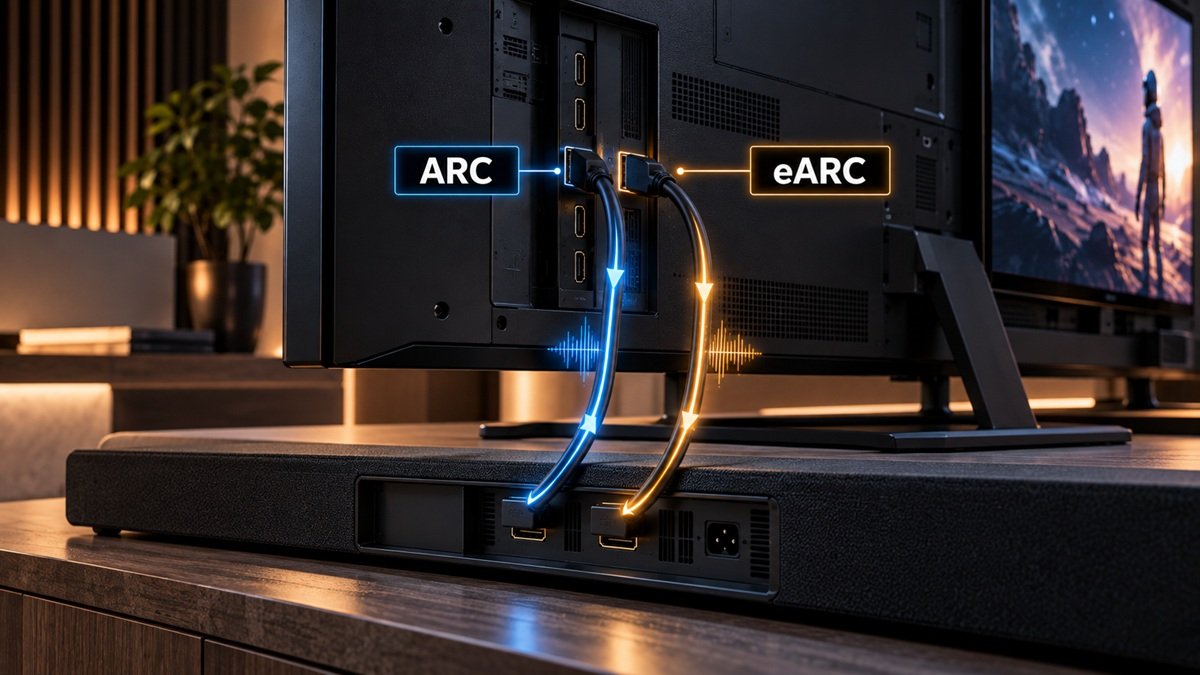
What Is HDMI eARC, and How Is It Different From ARC?
Last updated: September 2026
🕒 4 min read
Disclosure: This article does not contain affiliate or sponsored links. SignalVetted may still reference specific products or brands for informational purposes only.
One of the HDMI ports on your TV says “eARC”, and the soundbar or receiver you’re eyeing says the same. So what is HDMI eARC, and does it matter which port you use? In short, it’s the connection that sends sound from your TV back out to an audio system, in an upgraded form that can carry higher-bandwidth audio than the older ARC. This page explains both, using what the official HDMI website, HDMI.org, says about them.
Table of Contents
What Is HDMI eARC? The Short Answer
eARC stands for Enhanced Audio Return Channel. HDMI.org describes it as “an advancement over the previous Audio Return Channel”, known as ARC.
The practical difference comes down to how much audio each can carry. According to HDMI.org, “eARC can pass uncompressed and higher bandwidth audio; ARC can’t.”
ARC First: What an Audio Return Channel Does
ARC, which HDMI.org says was introduced in 2009, added a “return channel”, so an HDMI connection can work as both an input and an audio output.
HDMI.org’s guide to TV sound describes connecting a TV to an audio-video receiver (AVR) or soundbar using HDMI eARC, the newer version of that same idea.
What eARC Adds
HDMI.org lists what eARC supports on its eARC page, and its 2025 article on HDMI audio gives the bandwidth figure:
| What HDMI.org lists for eARC | Detail |
|---|---|
| Sample rate and bit depth | Up to 192kHz, 24-bit |
| Uncompressed channels | 5.1 and 7.1, plus 32-channel uncompressed audio |
| Named formats | DTS-HD Master Audio, DTS:X, Dolby TrueHD, Dolby Atmos |
| Maximum audio bandwidth | 37 Mbit/s |
Source: HDMI.org’s eARC page and its “More Sound with HDMI Technology” article (July 2025), checked September 2026.
HDMI.org doesn’t publish a matching list for ARC on the pages we used, so we’re not comparing the two format by format. What it does say is the broad contrast quoted above.
What You Need to Use HDMI eARC
HDMI.org’s guide names three things to check. It isn’t a full list; your TV’s and audio device’s documentation may add others.
- The right port. Connect the audio system to the TV’s HDMI eARC port. HDMI.org’s guide to TV sound says to be sure you’re using that port, which most manufacturers label.
- The setting. The same guide notes that you may also need to turn eARC on in the TV’s settings menu.
- The cable. HDMI.org’s 2021 guide says you can use a Premium High Speed HDMI Cable with Ethernet, but that “to enable all of the HDMI 2.1 features you need an Ultra High Speed HDMI Cable.” TV and audio-device makers may state their own cable requirements for eARC, so check their documentation too.
For context on those two cable names, HDMI.org’s 2025 article describes Premium High Speed cables as suited to setups up to 18Gbps, and Ultra High Speed cables to setups above that, up to 48Gbps. These figures describe the cables, not eARC’s audio bandwidth.
That quote refers to HDMI 2.1 features; our explainer on what HDMI 2.1 is covers the standard itself.
What This Page Doesn’t Cover
We kept this page to what HDMI.org states directly. The pages we used don’t say whether eARC equipment works with older ARC-only devices, don’t discuss lip-sync, and don’t say which HDMI version introduced eARC, so we don’t make claims about any of those.
Device control over HDMI (HDMI-CEC) is a separate system that this page doesn’t cover. If sound or remote control isn’t working over HDMI, our guide to fixing eARC and CEC problems walks through the brand-specific checks.
For the soundbar setup steps themselves, see our guide to connecting a soundbar to a TV.
Frequently Asked Questions
Is HDMI eARC the same as ARC?
No. Both send audio from the TV back out over HDMI, but HDMI.org says eARC can handle audio that ARC can’t, including uncompressed audio.
Which port is the HDMI eARC port?
HDMI.org’s guide says to use the TV’s HDMI eARC port, which most manufacturers label, and notes that eARC may also need to be enabled in the TV’s settings menu. If it still isn’t working, see our troubleshooting guide linked above.

Nridi
Editor, SignalVetted
This article does not report independent product testing.
✅ Based on HDMI.org’s eARC page and its HDMI audio articles (2021 and 2025).