
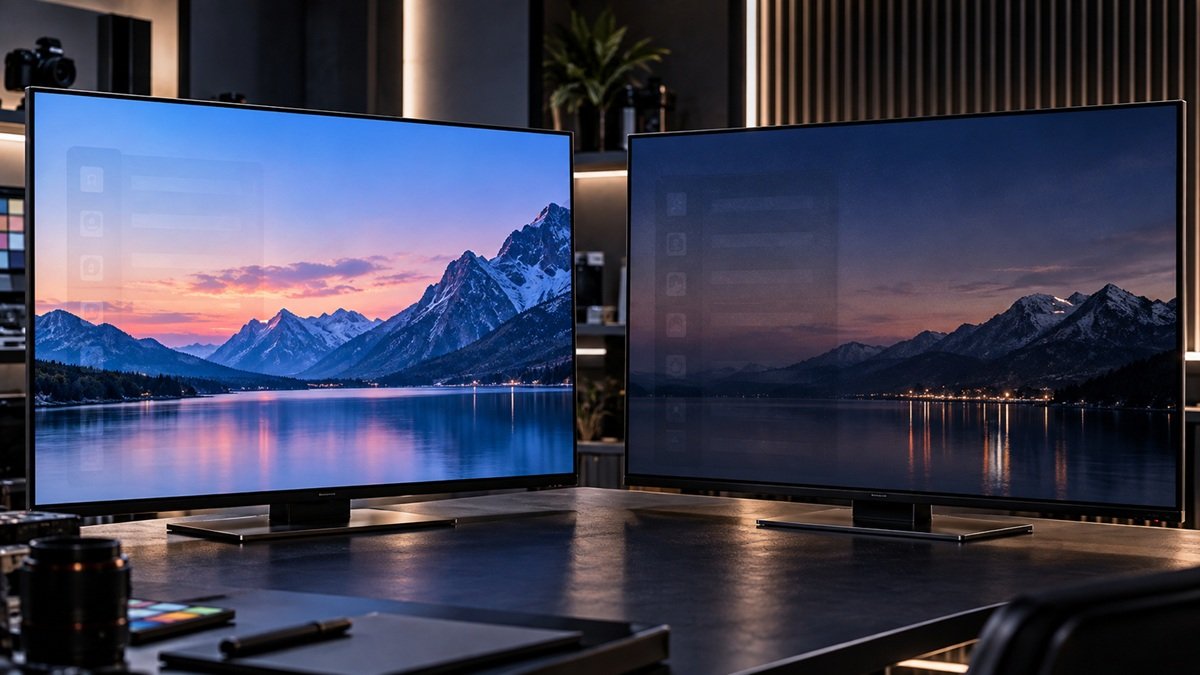
OLED Screen Retention vs. Burn-In: What’s the Difference?
Last updated: September 2026
🕒 7 min read
Disclosure: This article does not contain affiliate or sponsored links. SignalVetted may still reference specific products or brands for informational purposes only.
You switch away from a paused game or a channel logo, and for a second the shape is still faintly there on your OLED screen. Is that permanent damage, or will it disappear on its own? The two terms get used online as if they mean the same thing, but LG’s own support documentation treats them as two related but different conditions — one fades quickly on its own, the other lasts much longer.
This article covers the actual distinction, what causes each one, and how to figure out, on your own TV, which one you’re actually looking at, rather than guessing based on how alarming the image looks. For a broader look at how OLED TVs handle image quality overall, our full OLED TV guide covers that separately from this specific comparison.
Table of Contents
OLED Screen Retention vs. Burn-In: One Fades, One Doesn’t
According to LG’s own support documentation, image retention “refers to any image that ‘sticks’ on a screen, even when the content changes,” usually appearing “as a faint ghost” that, on most TVs, “fades after a moment or two.” Burn-in is described as a form of image retention that persists much longer and remains visible even once the content on screen has completely changed — the defining difference, per LG, is duration and persistence, not how dramatic the image looked when you first noticed it.
That framing matters because it means neither condition is defined by intensity. By LG’s definition, a faint shape that stays visible while you play other content is burn-in, while a sharper, more obvious ghost that fades after a moment or two is still just retention. Judging severity by how visible the mark looks in the moment is exactly the wrong test — the useful question is never “how bad does this look right now,” it’s “is this still here after I’ve watched something else.”
LG’s documentation also names what typically causes the persistent version: static logos or channel bugs left on-screen for extended stretches, paused games left sitting on a static UI or heads-up display, and picture modes running at very high brightness maintained over long periods. The common thread across all three is the same: something unchanging, left on-screen, for a long time.
Each Brand’s Own Prevention Tools
LG: Built-In Refresh Features
Per LG’s own support page, LG TVs include an automatic screen saver and pixel-refreshing tools intended to help prevent burn-in before it starts. LG’s page also says the Pixel Refresher can be run manually if you notice image retention or burn-in, so it isn’t framed as purely preventive — though the page does not claim it reverses established burn-in.
Samsung: Four Named Tools Across Its OLED Lineup
According to Samsung’s own support documentation for its OLED TVs, four separate features address the same underlying issue: Pixel Shift, Auto Logo Brightness, Pixel Refresh, and Screen Saver. The page describes the first, second and fourth as preventive; Pixel Refresh is the one it says to enable if you notice signs of image retention. Samsung’s page addresses both “burn-in” and “image retention” in the same troubleshooting article without separately defining each term the way LG does.
So while these four tools are Samsung’s own named answer to the issue, this article’s core retention-vs-burn-in definition above comes from LG’s documentation, not Samsung’s — an asymmetry worth being upfront about rather than implying both brands explain the distinction equally.
Scenario-Based Guidance
If the faint image fades after a moment or two — LG’s own description of temporary retention — there’s no fix to apply beyond normal use; it resolves on its own.
If the same faint shape is still visible while you play other content and doesn’t fade, that persistence is what LG’s documentation describes as burn-in rather than retention. LG gives no exact time cutoff; treating a mark that survives days of varied viewing as burn-in is our own practical rule of thumb, not an LG figure. At that point, the practical question shifts from “will this go away” to “how did this happen and how do I stop it from getting worse” — and that’s a different, deeper topic than this page covers. Our look at whether OLED burn-in still matters in 2026 covers how much of a real-world risk it actually is today, on current-generation panels.
And if you’d rather avoid ever having this question in the first place, our full guide to preventing OLED burn-in covers the practical steps — beyond just knowing your TV brand’s built-in tools exist — for keeping static content from turning into a lasting mark. That’s a worthwhile habit shift for anyone who leaves a game paused overnight or runs a fixed-logo channel for hours at a stretch, regardless of which brand’s TV they own.
Common Misconceptions or Mistakes
A common misconception is treating any faint leftover image as proof of permanent burn-in. By LG’s definition, retention is the short-lived one that “fades after a moment or two” on most TVs, so a faint leftover image that clears quickly isn’t burn-in. LG’s page doesn’t say how common either condition is.
A second misconception is assuming that any static element, however briefly it’s on screen, is automatically going to cause burn-in. LG’s documented causes are phrased in terms of prolonged exposure — news-channel logos left for prolonged periods, a paused game left on for extended time, and vivid or very high brightness modes used for extended periods. LG’s page doesn’t put a number of hours on “prolonged,” so this article doesn’t either.
A third misconception is assuming a built-in tool will undo burn-in that has already set in. Neither support page reviewed here states that any tool reverses established burn-in. LG describes prevention features plus a manual Pixel Refresher for noticed retention or burn-in, and Samsung describes Pixel Shift, Auto Logo Brightness and Screen Saver as preventive and Pixel Refresh as the tool for signs of image retention. Running one of them is reasonable, but neither page promises it will clear a mark that has persisted across other content.
Frequently Asked Questions
Does image retention always turn into burn-in?
LG’s page doesn’t say so. It describes retention as the short-lived effect that fades after a moment or two, and burn-in as “a form of image retention that lasts much longer” — but it says nothing about retention progressing into burn-in, so this article doesn’t claim that it does, or that it can’t.
Can Samsung’s Pixel Shift or Screen Saver features fix burn-in that’s already there?
Samsung’s page describes Pixel Shift, Auto Logo Brightness and Screen Saver as preventive, and it doesn’t claim they reverse burn-in that has already occurred. Pixel Refresh is different: Samsung’s page says to enable it if you notice signs of image retention, though it doesn’t say Pixel Refresh fixes burn-in itself. Don’t expect toggling a preventive feature on to make an already-persistent shape disappear.
Should I worry about a faint image I notice right after turning off my OLED TV?
Not immediately. Per LG’s definition, a faint image that appears after switching content and then fades after a moment or two is ordinary temporary retention, not burn-in. It’s worth treating as a bigger concern if the same shape is still visible while you play other content and doesn’t fade — that’s the point at which it stops matching LG’s description of temporary retention. LG gives no exact time cutoff.

Nridi
Editor, SignalVetted
This article does not report independent product testing.
✅ Based on LG’s own official support documentation.