
TCL QM8K Motion Blur: What RTINGS’ Motion Tests Found
Last updated: October 2026
🕒 5 min read
Disclosure: This article does not contain affiliate or sponsored links. SignalVetted may still reference specific products or brands for informational purposes only.
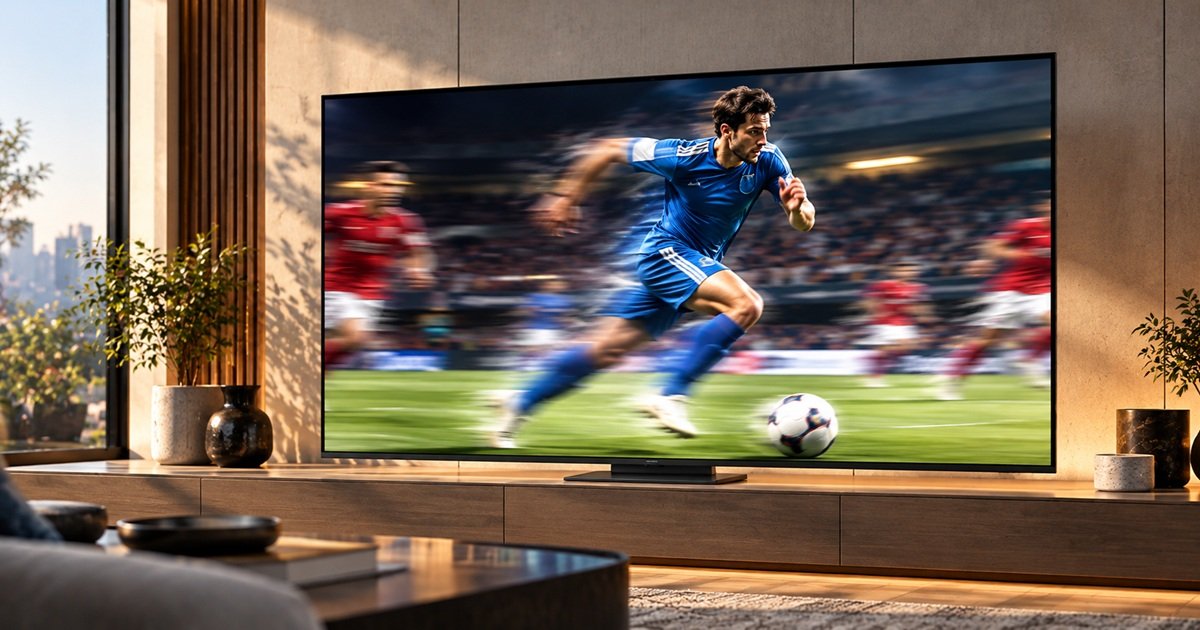
If you are searching for TCL QM8K motion blur, RTINGS’ Game Mode tests report that shadow details look great with no noticeable overshoot, while bright scenes have a very slow response time and more blur. Inference: so the answer depends on brightness. This page summarizes what RTINGS’ QM8K review says about motion, as reported for the 65-inch model.
SignalVetted did not test this TV. RTINGS does not list motion among the Cons in its summary box, but its motion sections also report heavy blur in bright scenes and at the edges of fast-moving objects. This page doesn’t call the set defective, and it doesn’t offer a fix for the brightness-dependent blur. RTINGS also states that the QM8K has been replaced by the QM8L.
Table of Contents
TCL QM8K Motion Blur: Pixel Transitions at 144Hz, 120Hz and 60Hz
RTINGS runs its “CAD” tests in Game Mode at three refresh rates. At the TV’s maximum of 144Hz, it calls the result decent. Dark areas look great, with no visible overshoot or inverse ghosting. Brighter areas fare much worse: RTINGS reports a very slow response time there, which means more blur.
RTINGS adds that this mismatch makes bright areas look blurrier than shadow areas within the same frame. At 120Hz the result is slightly worse overall but behaves almost identically to 144Hz. At 60Hz it is still decent, with the same absence of overshoot, but bright areas take a long time to settle, so RTINGS reports plenty of blur.
Inference: because the weak spot is tied to bright content, how visible the blur is will depend on what you watch, and a bright sports broadcast is a harder case than a dim movie scene.
Response Time and Edge Artifacts in Movies and Sports
For movies and shows, RTINGS describes cinematic response time as good overall. Most transitions are crisp and free of noticeable overshoot, but transitions into the brightest scenes are oddly slow. RTINGS also finds the color transitions subpar in movies and shows. It adds that colors stay fairly pure through RGB transitions, though, for instance, some yellow ends up mixed into blues in fast scenes and sports.
RTINGS also reports on edges: it says the TV handles the edges of fast-moving objects poorly, so they don’t match the object’s center, and it links this to heavy blurriness in busy movies, shows and sports. Inference: this edge result, together with the slow bright transitions, is the most likely source of any blur a viewer notices, though RTINGS’ page doesn’t say how it looks in a typical living room.
Stutter, Judder and Interpolation (Beyond Blur)
RTINGS reports visible stutter with 24p and 25p content, most of all in slow pans. It says this is not quite as bad as on OLED TVs such as the Samsung S90F, but it can still be noticeable to people who are sensitive to it.
The TV’s motion interpolation helps here. RTINGS says it does a very good job of reducing stutter at the setting equivalent to 30fps, so motion looks mostly smooth and even, including in slow camera moves. For background on what this processing does to a picture, see our explainer on what motion smoothing is.
On judder, RTINGS says the TV removes it from 24p content, with the conditions below. For 24p material arriving as 60p or 60i, such as from a cable box, Motion Clarity must be set to On with its sliders at 0, and that only works for 24p. Judder in 25p content sent as 60p is not fully removed, but RTINGS describes the result as only a bit jittery, and says it is removed with an external device that matches frame rate or with the TV’s native apps. It also reports micro-judder only for 25p content sent as 60p, in busy scenes, roughly every 5 to 10 seconds, which it calls pretty noticeable.
Black Frame Insertion on the QM8K
RTINGS notes that the QM8K has an optional backlight strobing feature, commonly called black frame insertion, whose purpose is to cut persistence blur. RTINGS adds that this TV offers it at both 60Hz and 120Hz, which most 2025 TVs don’t.
RTINGS’ black frame insertion section doesn’t say how well it works, so this page doesn’t either. Inference: if blur is your main concern, the feature is worth knowing about, but you would need to judge its effect, and any trade-off such as flicker or dimming, on your own set.
Motion Settings RTINGS Names
This page limits itself to the motion settings RTINGS names:
- Motion Clarity set to On with sliders at 0, for 24p judder from 60p and 60i sources.
- Interpolation at the setting equivalent to 30fps, for stutter in low frame rate content.
- Low-latency motion interpolation, which RTINGS says the TV supports unlike earlier TCL TVs, so fluidity can improve without adding significant lag.
RTINGS also notes excellent input lag in Game Master mode. None of these settings is presented as a cure for the slow bright-scene transitions.
The QM8K Was Replaced by the QM8L
RTINGS shows a notice that the QM8K was replaced by the QM8L in 2026. Its QM8K review is dated July 31, 2025, with a test bench update on October 20, 2026. It also says it bought and tested the QM8L and added a comparison to the HDR brightness section of the QM8K review. That comparison is about HDR: RTINGS says the newer set is substantially brighter on slides and some very small highlights, while most real content is about the same.
The RTINGS text we cite contains no motion comparison between the two, so this page makes no claim about which handles motion better. If you are weighing the newer model, see our TCL 65QM8L vs 65QM7L comparison.
What RTINGS’ Page Doesn’t Say
Several things are outside what this page can support. The RTINGS text we cite gives no fix for the brightness-dependent blur. The RTINGS text we cite has no QM8L motion comparison. Its numeric motion results are locked on its page and are not reproduced here. It tested the 65-inch model, plus the 98-inch separately, and says its review isn’t valid for the European TCL C8K.
Inference: RTINGS documents both strengths and clear negatives in motion, and anyone sensitive to blur in bright sports content should check the results on RTINGS’ own page before deciding.
Frequently Asked Questions
Is TCL QM8K motion blur a problem?
RTINGS reports a very slow response time in bright scenes, a lot of motion blur at 60Hz, and excessive blurriness from poor edge consistency in busy scenes. It also calls the 144Hz pixel transitions decent and doesn’t list motion as a Con in its summary box. Inference: a flat “bad blur” label would overstate it, but the bright-scene and edge findings are real RTINGS negatives.
Does black frame insertion help on the QM8K?
RTINGS says the feature exists at 60Hz and 120Hz and is meant to reduce persistence blur. The page doesn’t state how effective it is.
Was the TCL QM8K replaced?
Yes. RTINGS says the QM8L replaced it in 2026, and that it added a QM8L comparison in its HDR Brightness section; the RTINGS text we cite has no QM8L motion comparison.

Nridi
Editor, SignalVetted
This article does not report independent product testing.
✅ Based on the sources named on this page.