Samsung 65S90H vs Samsung 65U8000H: How the 65-Inch OLED and LCD Results Differ
Last updated: October 2026
🕒 5 min read
Disclosure: As an affiliate partner, we may earn a commission from qualifying purchases made through the links in this article, at no extra cost to you.
AI Disclosure: This article was produced with AI-assisted drafting and human editorial review. Claims are checked against the approved sources listed for this page’s claim type before publication.
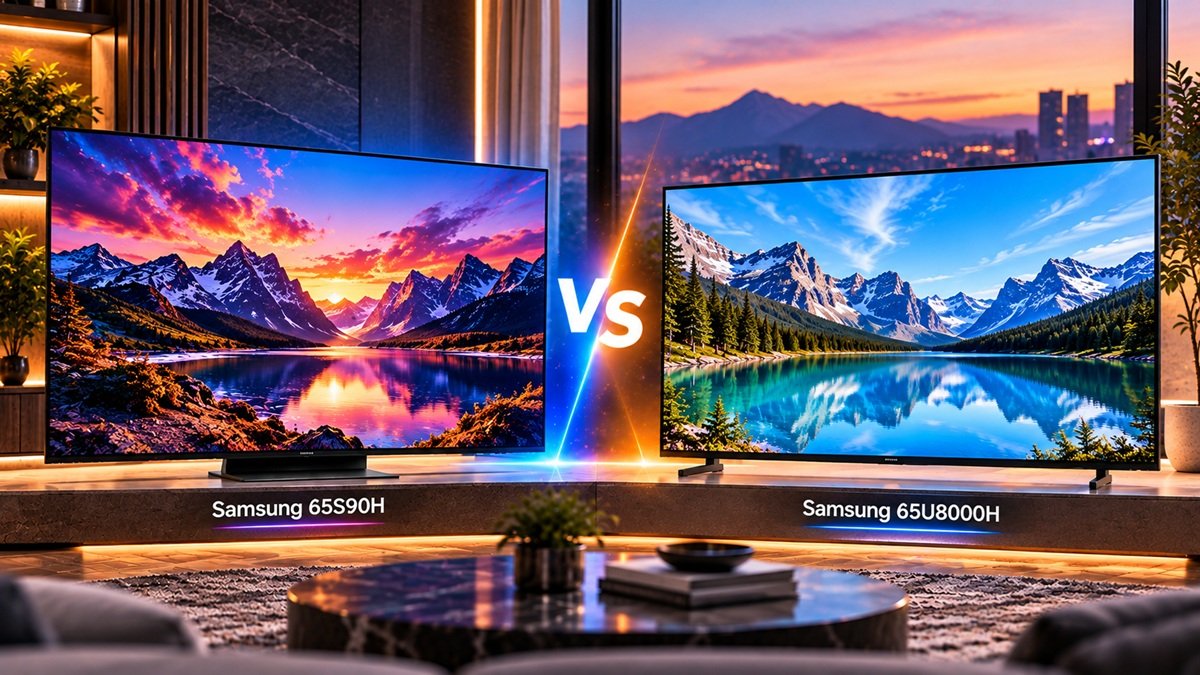
The Samsung 65S90H vs Samsung 65U8000H choice at 65 inches sets a WOLED set against an LCD set, and RTINGS’ results for them differ on contrast, brightness, screen finish, HDMI bandwidth and viewing angle. Each TV has its own RTINGS review, both at 65 inches, and this page puts the findings next to each other. Inference: the panel technology explains most of the gaps.
SignalVetted has not tested either TV. Neither RTINGS review compares the two models, so the table below is our own side-by-side of two separate reviews, and each column says which review it comes from.
Table of Contents
Quick Comparison: Samsung 65S90H vs Samsung 65U8000H (65-Inch)
| Samsung S90H (65S90H) | Samsung U8000H (65U8000H) | |
|---|---|---|
| Panel type | OLED (WOLED) | LCD (VA) |
| Native refresh rate | 165Hz | 60Hz |
| Screen finish | Matte | Glossy |
| Contrast (RTINGS wording) | “Nearly infinite” | “Poor” |
| HDR brightness (RTINGS wording) | “Good” | “Bad” |
| HDMI bandwidth | HDMI 2.1 on all four ports | HDMI 2.0 |
| Viewing angle (RTINGS wording) | “Excellent” | “Mediocre” |
| Burn-in risk (RTINGS wording) | High with static elements | “Highly unlikely” |
| Dolby Vision | No | No |
| Smart interface | Tizen | Tizen |
S90H column from RTINGS’ Samsung S90H review (reviewed May 04, 2026; test bench update Oct 20, 2026), U8000H column from RTINGS’ Samsung U8000H review (reviewed Jul 31, 2026; writing modified Oct 23, 2026). Both 65-inch, both Methodology v2.3.1.
Scope: RTINGS tested the 65-inch size of each TV. Its S90H review says the results are also valid for the 55- and 83-inch models; its U8000H review says they are also valid for the 43, 50, 55, 58, 70, 75 and 85-inch models. This page covers the 65-inch only.
Contrast and Dark Rooms: 65S90H vs 65U8000H
In its Samsung S90H review, RTINGS says the set’s self-lit pixels give it a nearly infinite contrast ratio and perfect contrast, which it calls impressive in a dark room. Our Samsung 65S90H review covers the S90H in full.
In its Samsung U8000H review, RTINGS reports no local dimming, a decent native panel contrast and blacks that are always raised, which it summarizes as poor contrast. Our Samsung 65U8000H review covers the U8000H in full.
Inference: contrast is the row where RTINGS’ wording differs most: “nearly infinite” against “poor”.
Burn-in note: RTINGS reports a high risk of permanent burn-in on the S90H with static elements such as a news sticker, and says mixed content should not cause problems; it calls permanent burn-in on the U8000H highly unlikely.
HDR and SDR Brightness
RTINGS rates the S90H’s HDR brightness as good and says its small highlights are bright enough to make an impact, but the image is considerably dimmer when more of the scene is bright, because of its automatic brightness limiter. It rates the U8000H’s HDR brightness as bad, saying small highlights do not stand out. In SDR, RTINGS calls the S90H’s peak brightness very good and the U8000H’s poor.
Screen Finish and Bright Rooms
The S90H has a matte screen; RTINGS credits that coating, together with strong SDR brightness, for coping with a well-lit room. The U8000H has a glossy screen, and RTINGS reports that its brightness is too low to hold up against notable daytime glare. Inference: the finish row and the SDR brightness row separate the sets in the same direction here: matte and “very good” against glossy and “poor”.
Gaming and Refresh Rate
RTINGS lists a native refresh rate of 165Hz for the S90H and 60Hz for the U8000H. RTINGS lists HDMI 2.1 bandwidth on all four S90H ports, along with FreeSync, HDMI Forum VRR and G-SYNC, and rates its input lag as very low in Game Mode.
For the U8000H, RTINGS lists HDMI 2.0 ports, says it cannot take advantage of the latest consoles or gaming PCs, offers 120Hz only at 1080p, and rates input lag as just okay.
Viewing Angle and Smart Features
RTINGS rates the S90H’s viewing angle as excellent for wide seating and the U8000H’s as mediocre, with the image degrading toward the sides. Both run the 2026 version of Tizen; RTINGS finds the S90H’s interface snappier than older versions and the U8000H’s a bit slow at times. Neither supports Dolby Vision.
Who Should Choose Which (Inference)
Who Should Choose the Samsung 65S90H
Inference: a buyer who ranks contrast, wide seating and HDMI 2.1 gaming connections first will find stronger results in RTINGS’ S90H review. The same review reports a dimmer image in large bright scenes.
Who Should Choose the Samsung 65U8000H
Inference: a buyer weighing the U8000H can check what the same review reports: poor contrast, bad HDR brightness, a glossy screen and HDMI 2.0 ports, and RTINGS calls the TV poor overall.
Final Verdict
Inference: in the Samsung 65S90H vs Samsung 65U8000H comparison, the reviews put the two sets on opposite sides of most rows: OLED against LCD, matte against glossy, “nearly infinite” against “poor” contrast, HDMI 2.1 against HDMI 2.0. A trade-off in the S90H’s review is a dimmer image in large bright scenes; for the U8000H, RTINGS’ overall verdict is poor.
RTINGS also reports a high risk of permanent burn-in on the S90H with static elements. Inference: which trade-offs you can accept depends on your room and devices. We do not pick for you.
🛒 Check Samsung 65S90H(paid link)
🛒 Check Samsung 65U8000H(paid link)
FAQ
What is the main difference in the Samsung 65S90H vs Samsung 65U8000H?
RTINGS reports a WOLED panel with a 165Hz native refresh rate and a matte screen for the S90H, and an LCD panel at 60Hz with a glossy screen for the U8000H.
Is burn-in a concern on either TV?
RTINGS reports a high risk of permanent burn-in on the S90H with static elements such as a news sticker, and says mixed content should not cause problems. It calls permanent burn-in on the U8000H highly unlikely.
Which Samsung is better for gaming?
RTINGS lists HDMI 2.1 on all four S90H ports and HDMI 2.0 on the U8000H. Inference: the HDMI bandwidth and the refresh rates are the points that separate the two reviews for gaming; the choice still depends on your console or PC.

Nridi
Editor, SignalVetted
SignalVetted has not independently tested these TVs.
✅ Based on spec analysis and the sources named on this page.